How to Provide 24/7 Customer Support (8 Tips)
Customers today expect help whenever they need it. They do not want to wait until your office opens. They do not care about your time zone. If they have a question at 2 AM, they want an answer at 2 AM.
This shift has made 24/7 customer support a must-have for growing businesses.
The good news is that you do not need a massive team or a huge budget to make it happen.
With the right tools and strategies, any business can provide round-the-clock support.
In this guide, we will walk you through practical tips to help you deliver 24/7 customer support without burning out your team or breaking the bank.
Tip #1: Build a Self-Service Knowledge Base
A knowledge base is the foundation of 24/7 support. It is a library of articles, guides, and answers that customers can access anytime without waiting for a human response.
Here is why this matters: 81% of customers try to solve problems on their own before contacting support.
They prefer finding answers themselves. A good knowledge base lets them do exactly that.
Your knowledge base should include:
- Frequently asked questions (FAQs)
- Step-by-step how-to guides
- Troubleshooting articles
- Video tutorials
- Product documentation
The key is organization. Group your content by topic so customers can find what they need quickly.
Use clear titles and simple language. Include a search function so customers can type in their question and find relevant articles instantly.
At InstantDocs, we built our knowledge base software to make this process simple.
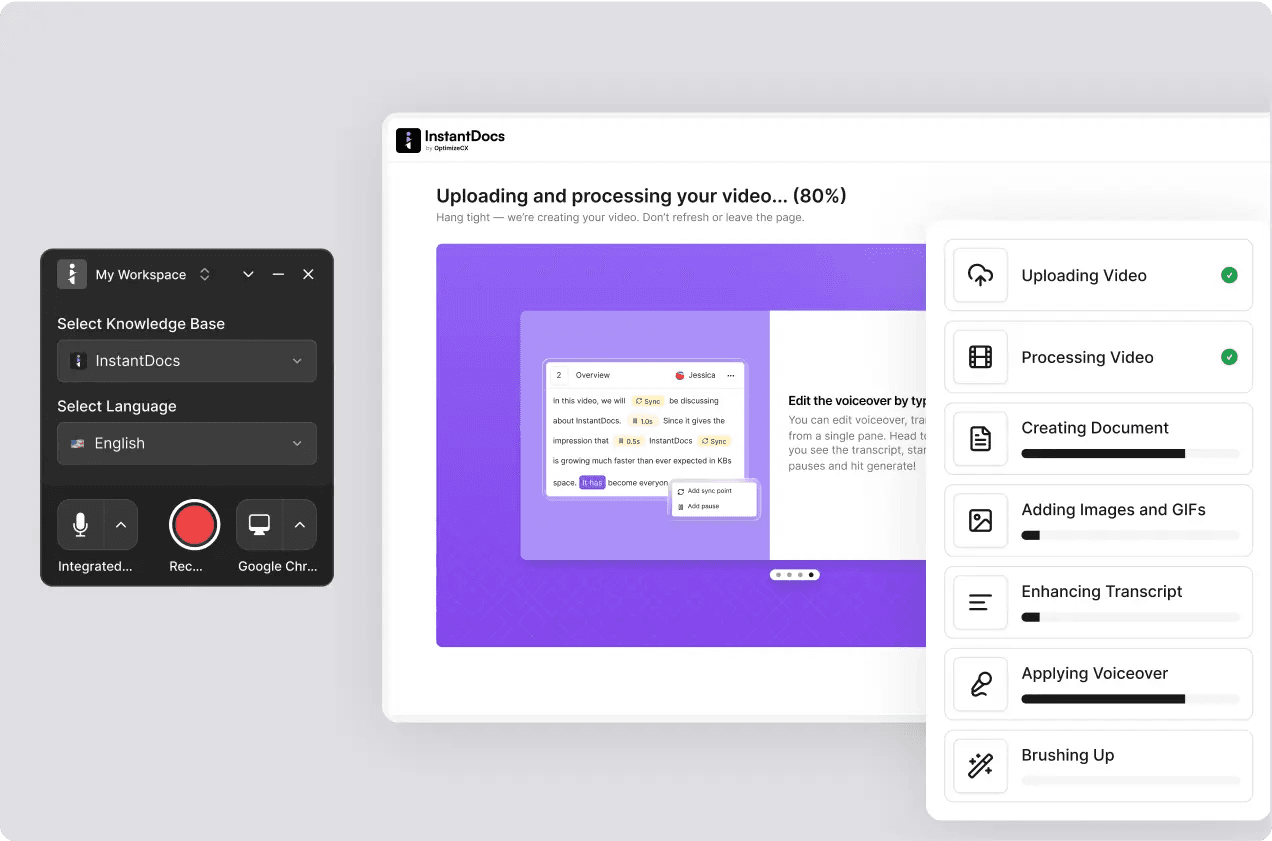
Our AI Recorder lets you create documentation just by talking through processes.
Instead of writing articles from scratch, you explain the steps out loud and we turn it into polished content. This saves hours of writing time.
We also include a Knowledge Gap Finder that shows you which topics customers search for but cannot find.
This tells you exactly what articles to create next. You are not guessing what your customers need. You are seeing it in real data.
Keep your knowledge base updated. Outdated articles frustrate customers and create more support tickets. Set a schedule to review and refresh your content regularly.
Tip #2: Use Your Knowledge Base to Power Other Support Channels
Your knowledge base should not sit in isolation. It becomes more powerful when you connect it to your other support tools.
Here is how this works in practice:
- Connect it to your chatbot. When a customer asks a question, your chatbot can pull the answer directly from your knowledge base. This ensures accurate, consistent responses without any manual work.
- Embed articles in your product. Place help content right where customers need it. If someone is stuck on a settings page, show them the relevant guide without making them leave your app.
- Give your support team quick access. When agents can search your knowledge base during a conversation, they respond faster. They do not have to remember every detail or hunt for information.
- Create a single source of truth. When all your channels pull from the same knowledge base, customers get the same answer whether they talk to a bot, an agent, or look it up themselves.
This approach creates consistency. It also saves time for everyone involved.
With InstantDocs, you can integrate your knowledge base with popular chat tools and help desks. Your documentation stays in one place, but it works across every support channel you use.
Tip #3: Implement AI Chatbots for Instant Responses
AI chatbots have become essential for 24/7 support. They respond instantly, work around the clock, and never need a break.
Modern chatbots can handle common questions like:
- Order status inquiries
- Password resets
- Account information
- Basic troubleshooting
- Appointment scheduling
The best chatbots do not just spit out generic responses. For example Helply learns from your knowledge base and provide accurate, specific answers about your products and services.
However, chatbots have limits. They struggle with complex issues or emotional situations.
This is why you need a clear handoff process. When a chatbot cannot help, it should connect the customer to a human agent smoothly.
It should also pass along the conversation history so the customer does not have to repeat themselves.
Think of chatbots as your first line of defense. They handle the easy stuff so your human agents can focus on problems that actually need a personal touch.
Tip #4: Offer Live Chat to Bridge Automation and Human Support
Live chat sits between chatbots and phone support. It gives customers real-time help from a human without the hassle of a phone call.
Customers love live chat. Studies show that 73% of customers feel most satisfied with live chat compared to other support channels. They appreciate the speed and convenience.
From your side, live chat is efficient. A single agent can handle two to five conversations at the same time. That is not possible with phone support.
Best practices for live chat include:
- Set clear expectations. Tell customers how long they might wait. If chat is unavailable, say so and offer alternatives.
- Train agents to multitask. Live chat requires a different skill set than phone support. Agents need to write clearly, manage multiple conversations, and respond quickly.
- Use canned responses wisely. Pre-written replies speed things up, but they should not sound robotic. Personalize them for each conversation.
- Keep your knowledge base handy. Agents should be able to search for articles and share links during chats. This speeds up resolution times.
Live chat works best during your busiest hours. For after-hours coverage, you can rely on chatbots and self-service options.
Tip #5: Adopt a Follow-the-Sun Model
The follow-the-sun model is a staffing strategy that provides continuous coverage without overnight shifts.
Here is how it works:
You have support teams in different time zones around the world. As the workday ends for one team, another team in a different region picks up. The work literally follows the sun around the globe.
For example, your team in New York handles support from 9 AM to 5 PM Eastern time. When they sign off, a team in Europe takes over. Then an Asia-Pacific team covers the overnight hours.
The benefits are significant:
- No night shifts. Every team works normal daytime hours. This reduces burnout and improves job satisfaction.
- Faster response times. Tickets never sit overnight. There is always someone working on them.
- Business continuity. If one region has an outage or emergency, other teams keep things running.
This model works best for companies with a global customer base. It requires careful coordination between teams.
Handoffs must be smooth, and everyone needs access to the same information.
A centralized knowledge base is critical here. When a team in Manila picks up a ticket started in London, they need full context. Your documentation keeps everyone on the same page.
Tip #6: Outsource After-Hours Support
Not every company can afford teams on three continents. If you are a small or growing business, outsourcing after-hours support is a practical alternative.
Outsourcing companies specialize in providing support coverage when your in-house team is unavailable. They can handle calls, chats, and emails during nights and weekends.
When choosing an outsourcing partner, consider:
- Training and onboarding. How will they learn your product? How long does it take to get agents up to speed?
- Quality control. What metrics do they track? How do they ensure consistent service quality?
- Communication. How will they share updates with your team? What happens when they encounter issues they cannot solve?
- Brand voice. Can they match your tone and style? Customers should not notice a difference between your team and theirs.
A detailed knowledge base makes outsourcing much easier. When external agents have access to comprehensive documentation, they can answer questions accurately even if they are new to your product.
At InstantDocs, we help businesses create the kind of thorough documentation that external teams can rely on.
Tip #7: Hire Remote Teams Across Time Zones
Remote work has opened up new possibilities for 24/7 support. You can hire team members anywhere in the world and build coverage into your staffing plan.
Instead of asking someone in California to work the night shift, hire someone in the Philippines or Poland who can cover those hours during their normal workday.
This approach offers several advantages:
- Better quality of life for employees. Nobody has to sacrifice their sleep schedule.
- Access to global talent. You are not limited to hiring in your city or country.
- Cost efficiency. Labor costs vary by region, which can help your budget.
Managing a distributed team requires good systems. Everyone needs access to the same tools and information. Communication becomes even more important when team members rarely overlap.
Your knowledge base serves as the glue. It ensures every agent, regardless of location, has the same resources and answers the same way.
Tip #8: Provide Multiple Support Channels
Customers have preferences. Some prefer email. Others want to call. Many choose chat or social media.
24/7 support means being available on the channels your customers use, when they use them.
Common support channels include:
- Phone
- Live chat
- Chatbots
- Social media (Twitter, Facebook, Instagram)
- Messaging apps (WhatsApp, Messenger)
- In-app support
You do not need to offer every channel immediately. Start with the ones your customers use most. Then expand as you grow.
The challenge with multiple channels is consistency. A customer should get the same answer whether they email, chat, or call.
Your knowledge base solves this problem. When every channel pulls from the same documentation, your responses stay consistent.
Try InstantDocs for 24/7 Customer Support Today!
24/7 customer support is no longer a luxury. Customers expect it, and businesses that deliver it have a real advantage.
The good news is that you do not need a huge budget or a massive team. Start with a strong knowledge base that answers common questions around the clock. Layer in chatbots for instant responses.
Then expand your human coverage through extended hours, outsourcing, or distributed teams.
At InstantDocs, we help businesses build the documentation foundation that makes 24/7 support possible.
Our AI-powered tools let you create help articles faster, find gaps in your content, and keep everything organized.
When your knowledge base is solid, every other part of your support system works better.
Ready to get started? Try InstantDocs for FREE and see how easy it is to build a knowledge base that supports your customers at any hour.
Frequently Asked Questions
1. How do i get started with 24/7 support?
Here’s how to get started with 24/7 customer support:
Step 1: Assess your current state. Look at your support data. When do customers contact you? What are the most common questions? How many tickets come in after hours?
Step 2: Start with a knowledge base. This is the most cost-effective first step. A solid knowledge base can handle a large chunk of support requests without any additional staff. Focus on your most common questions first.
Step 3: Add a chatbot. Once your knowledge base is built, connect it to a chatbot. This gives customers instant answers to common questions at any hour.
Step 4: Expand live chat coverage. Start with extended hours rather than full 24/7 coverage. If you normally offer chat from 9 to 5, try extending to 8 AM to 8 PM first.
Step 5: Scale with outsourcing or distributed teams. As demand grows, consider outsourcing after-hours support or hiring in different time zones.
This gradual approach lets you learn and adjust without overcommitting resources.
2. What key metrics should I track for 24/7 customer support?
These are the key metrics to track for 24/7 customer support:
- First response time. How long does it take to acknowledge a customer's request? Faster is better.
- Resolution time. How long until the problem is actually solved? This matters more than speed alone.
- Customer satisfaction (CSAT). Ask customers to rate their experience. This tells you if your support is actually helpful.
- First contact resolution rate. What percentage of issues are solved in the first interaction? Higher rates mean less back-and-forth.
- Knowledge base usage. Which articles get viewed most? Which searches return no results? This data shows where to improve your documentation.


Instantly build support docs that delight.
Book a demo