Knowledge Management Best Practices Every CX Leader Should Know
You probably didn’t become a customer experience (CX) leader because you love chasing down old docs or answering the same ticket for the 100th time.
Yet somehow, that’s what your days can feel like:
- Agents pinging you for missing resources
- Customers losing patience while they wait
- Your knowledge base looking more like a digital junk drawer
It’s exhausting, and it’s not sustainable.
Effective knowledge management is the solution. Done right, it shifts support from reactive firefighting to proactive problem-solving.
Customers get answers faster, agents resolve complex issues with confidence, and your team scales without burning out. This results in lower ticket volume, quicker resolutions, and higher customer satisfaction.
Still, many CX leaders face the same hurdles: siloed knowledge, outdated or hard-to-search resources, and limited native tools in platforms like Zendesk or Freshdesk.
Not to worry though! This guide will show you how to fix that with:
- The right knowledge management tools
- Practical knowledge base best practices
- A framework for long-term success
Let’s get right into it.
Key Takeaways
- Shift From Reactive to Proactive: Your primary goal with knowledge management is to stop reactive firefighting. A strong strategy reduces repeat tickets and empowers customer self-service.
- Solve Native Tool Limitations: Relying solely on your helpdesk's built-in knowledge base leads to content silos and poor search. A dedicated system is needed to capture valuable "tacit" (expert) knowledge.
- Treat KM as a Continuous Cycle: A successful knowledge base is a living system, not a one-time project. Following the cycle of capturing, organizing, and refining content is what keeps it trustworthy.
- Automate to Eliminate Friction: The biggest barrier to great documentation is the manual effort. The most effective knowledge management process automates content creation directly from support tickets and screen recordings.
- Implement With a Low-Risk Pilot: Start by auditing your current pains and running a pilot program with a small team. This validates your new tools and processes before a full company-wide rollout.
The Types of Knowledge Management Systems
Before you can choose the right tool for knowledge management, you need to understand what you’re trying to manage. So let’s discuss the forms in which knowledge might take.
Explicit
This is the information that is easy to write down, record, and share. It includes things like help center articles, training videos, step-by-step guides, and saved canned responses.
Tacit
This is the kind of knowledge that’s personal, experience-based, and often hard to put into words or document. It lives “in people’s heads” rather than in manuals or databases. It's incredibly valuable but often gets trapped in one-off support tickets or Slack DMs.
Implicit
The main difference between implicit and tacit knowledge is that the former is easier to codify. It is information that is built into the organization's procedures but is not yet clear. It is tribal information that can be learnt and shared, but it has not yet been officially recorded.
Categories of Knowledge Management Tools
Different tools are built to handle knowledge in different ways.
Most fall into one of these three categories:
Category #1: Document management tools
These are systems designed for storage and organization.
Examples include wikis like Confluence, shared drives and SharePoint.
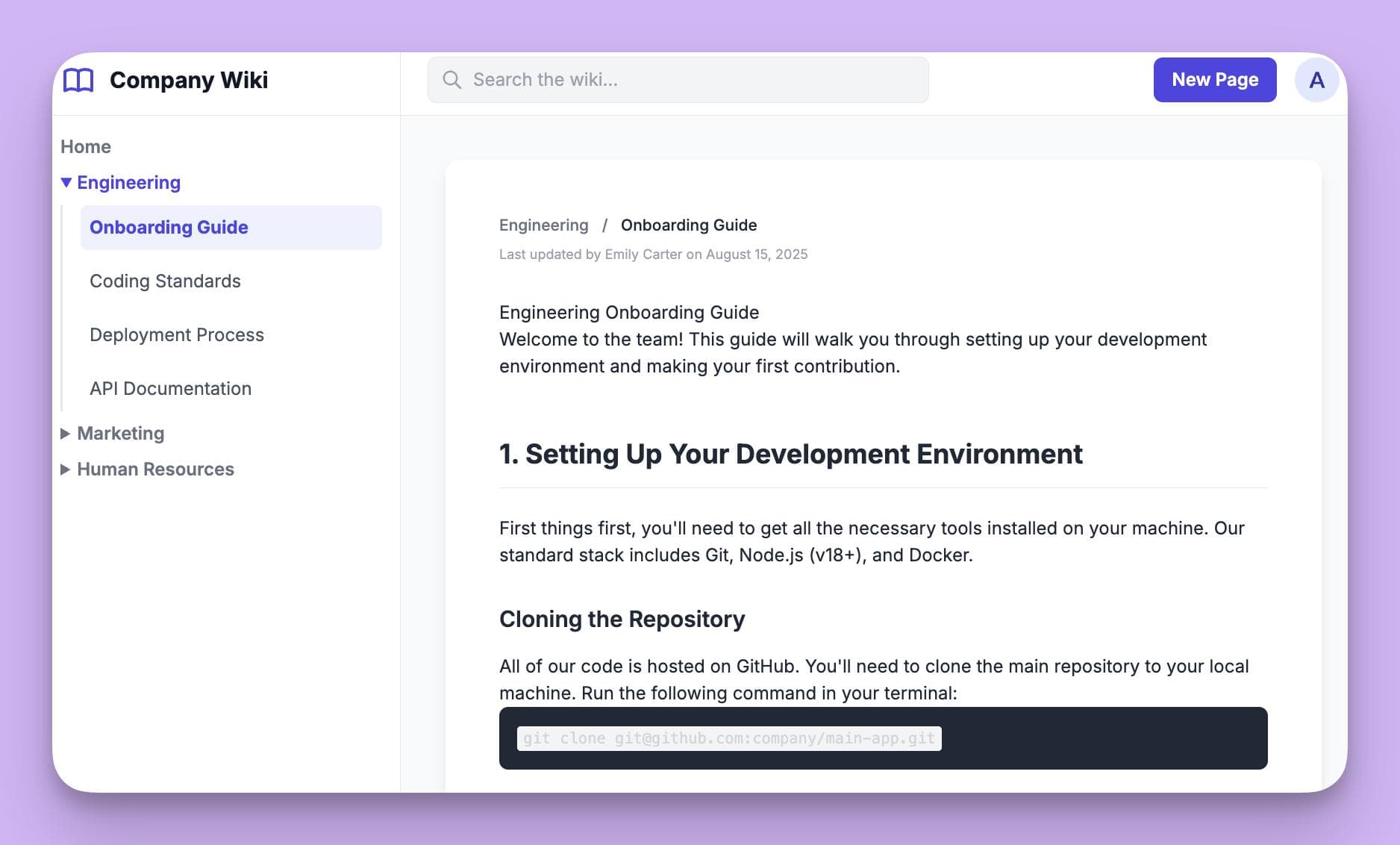
While they are great for storing official documents, they are often static, require heavy manual organization, and have basic search functionality.
Category #2: Collaboration platforms
These are the platforms where your team talks and works together, like Slack and Microsoft Teams.
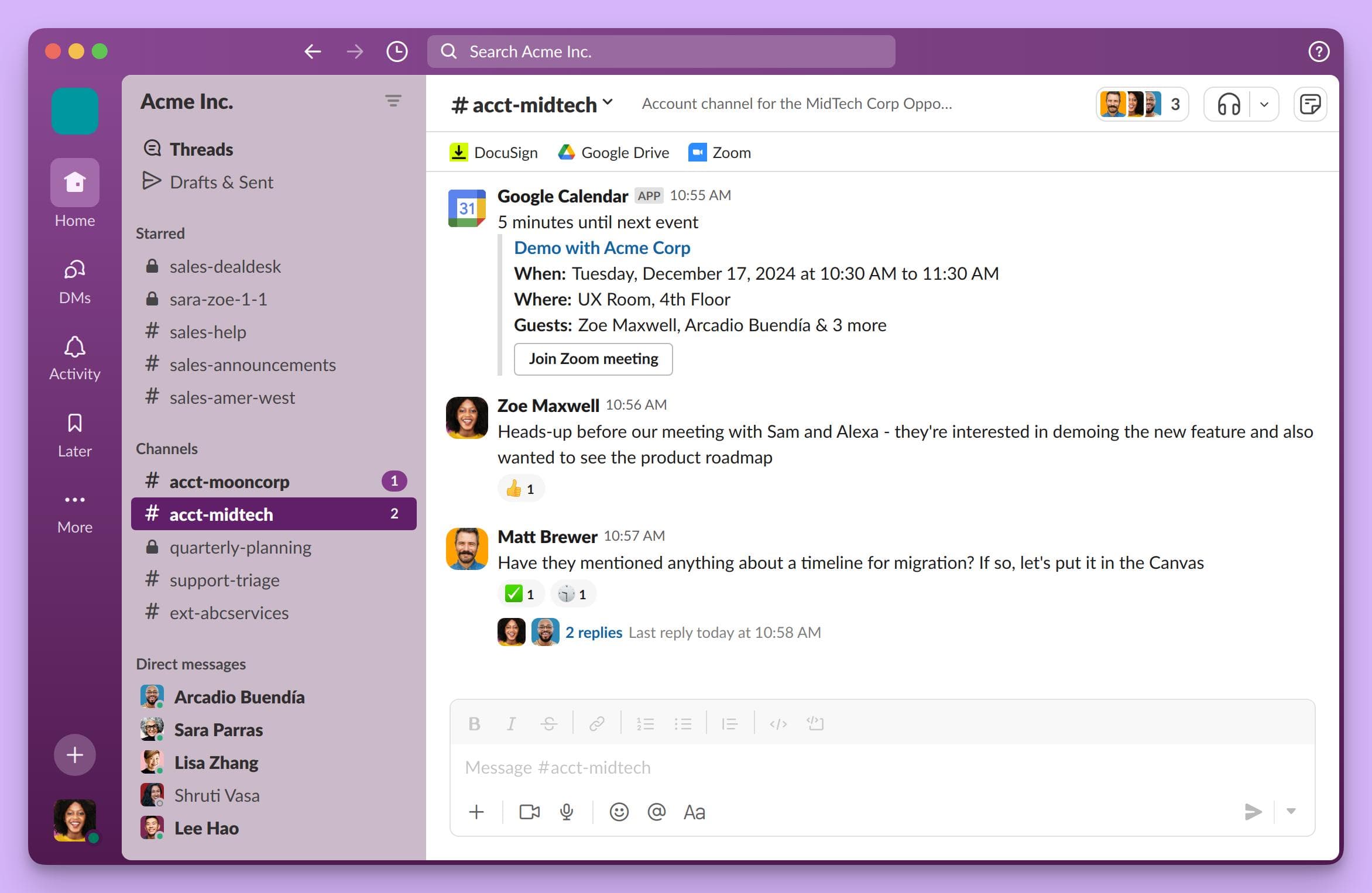
They are fantastic for real-time problem-solving, but knowledge here is unstructured and almost impossible to find later
Category #3: AI Knowledge Management Tools
This is the modern approach. AI knowledge management tools like InstantDocs integrate directly with your helpdesk and collaboration tools.
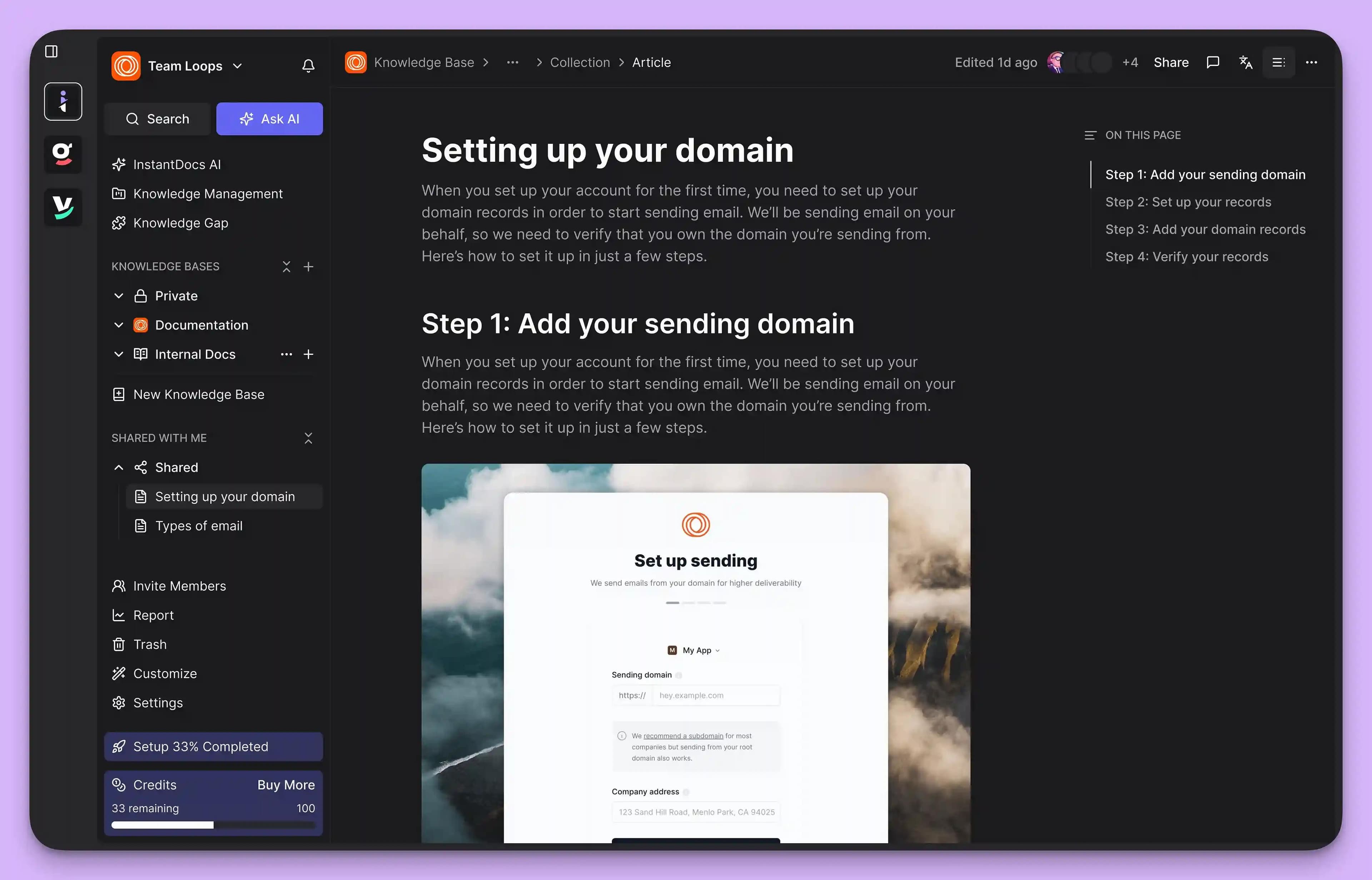
They use AI to;
- Proactively identify knowledge gaps
- Surface answers from past tickets
- Suggest creating a new knowledge base article from a conversation
- Automating the process of turning tacit knowledge into explicit knowledge
While convenient at first to start with the native knowledge base built into your helpdesk, these tools often create more problems as your team scales.
Their limitations typically include:
- Inefficient search. The search functionality is often rigid and keyword-based, failing to understand user intent. If an agent doesn't type the exact title of an article, they get zero results.
- Content silos. These tools are disconnected from where agents actually work. An agent has to leave the ticket, open the knowledge base, search, and then copy-paste the answer, adding friction to their workflow.
- Lack of proactive maintenance. They rarely include features to flag outdated, duplicate, or conflicting information, hence making your knowledge base untrustworthy.
As a CX lead, these limitations lead to two valid fears that might be holding you back:
- “My content will become outdated soon”. The solution is a system with built-in maintenance workflows. Modern knowledge management tools include features like content verification schedules that assign articles to experts for review on a recurring basis, ensuring your information stays fresh and trustworthy.
- “My agents won’t even use it”. Adoption is everything. If finding an answer is harder than asking a coworker, your knowledge management system will fail. That's why intuitive, AI-powered search is non-negotiable. Great systems bring knowledge directly into your agent's workflow, making it the fastest path to an answer.
This is why you need an AI knowledge base management software like InstantDocs.
The 5 Stages of Knowledge Management for CX Teams
If you've tried to build a knowledge base in the past only to watch it become a library of outdated articles, it’s likely because one of these critical stages was missing. Let's look at the stages of knowledge management.
They are:
1. Knowledge Capture
This is the first step is making sure valuable insights don’t get lost in tickets or Slack threads.
Modern knowledge management tools can automatically pull common questions and solutions from support tickets, chats, and agent notes.
This saves your team from the resource drain of manual documentation.
2. Knowledge Organization
Even the best content is useless if no one can find it. Effective organization in a modern SaaS knowledge base relies on a flexible framework like:
Logical Categories
Group content into broad, easy-to-understand buckets that mirror your customer’s journey or product areas.
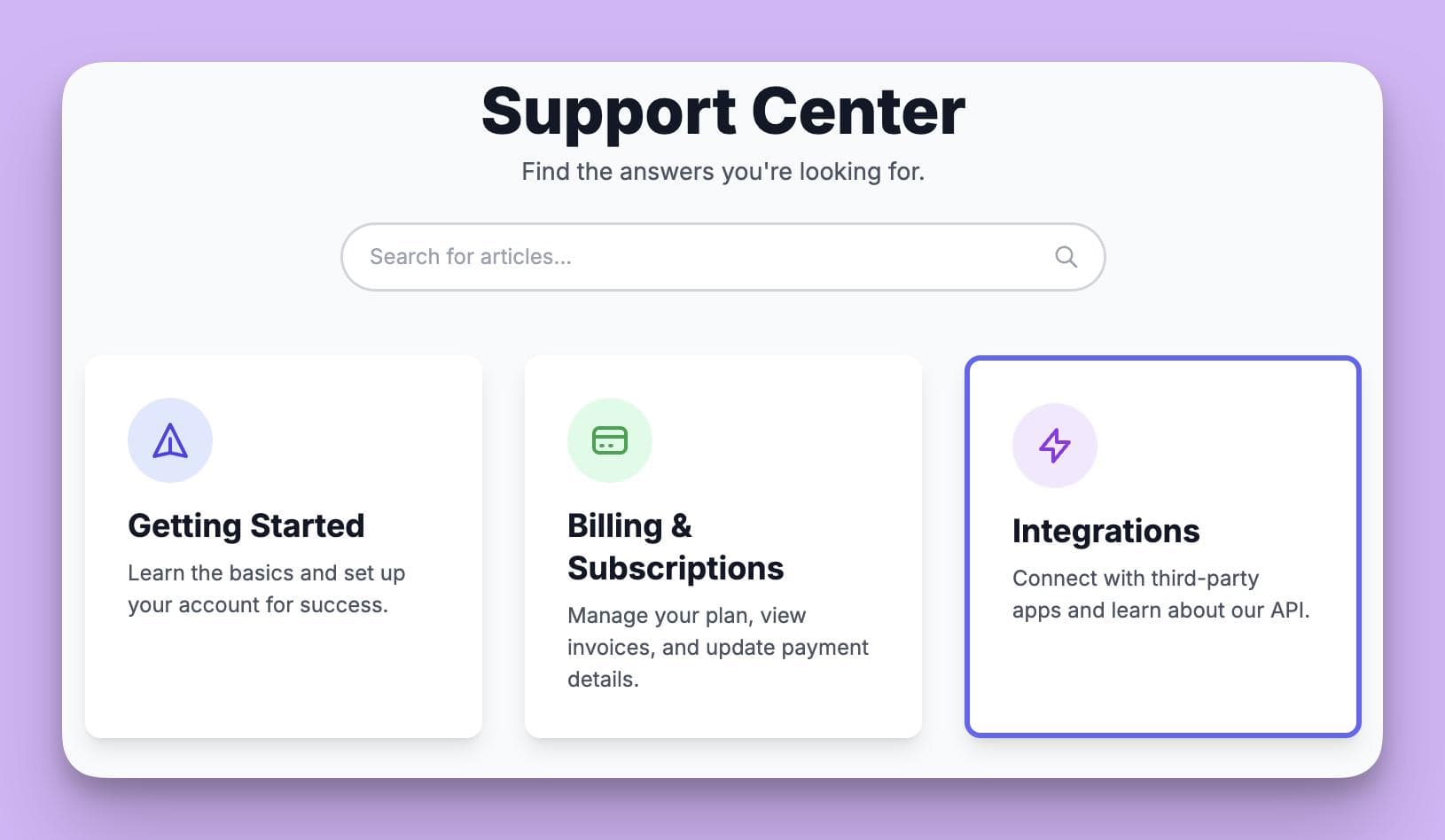
For example, you could create categories like "Getting Started," "Billing & Subscriptions," and "Integrations".
Tags and metadata
Use specific keywords to tag articles. This allows a single article to appear in multiple relevant searches.
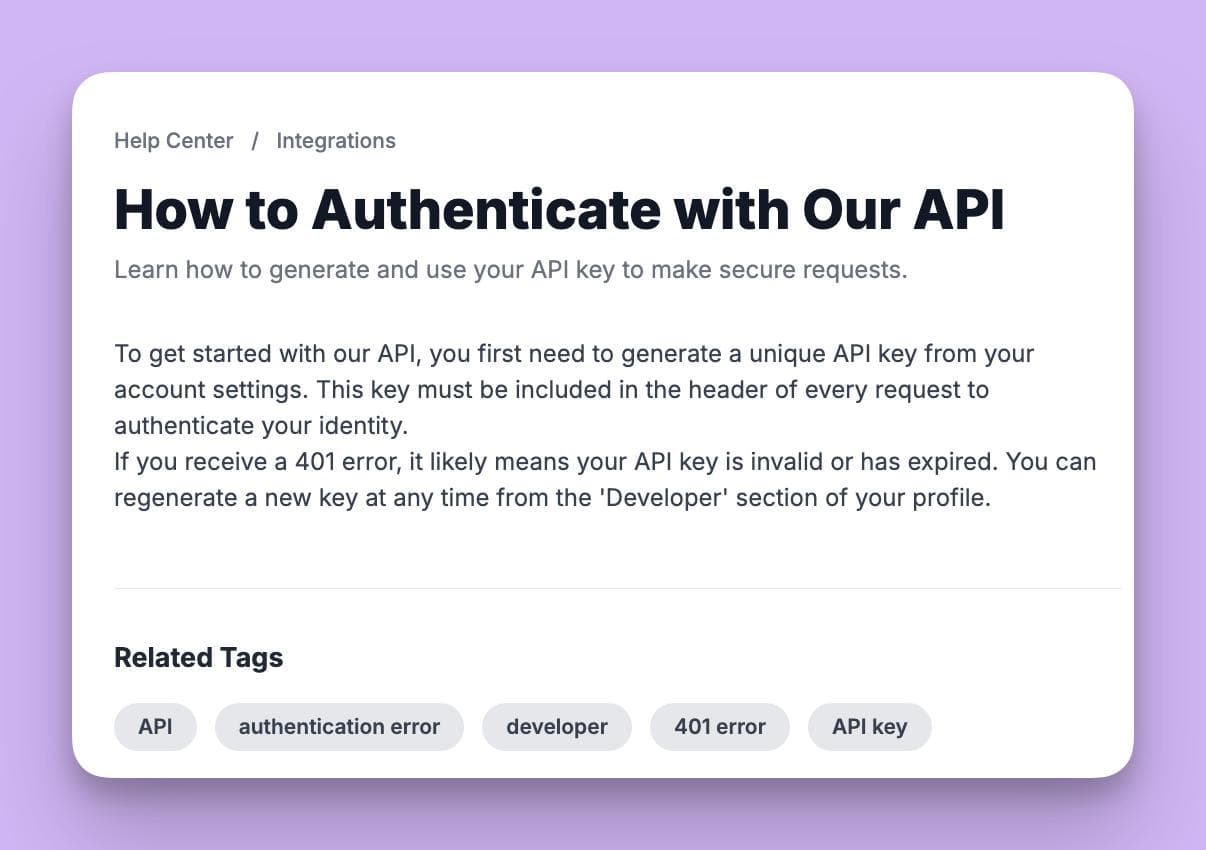
For example, an article in the "Integrations" category could be tagged with "API," and "authentication error," making it easy to find from any angle.
3. Knowledge Sharing
Customer experience thrives when information flows freely.
Here’s what that looks like:
- Internally. For your support team, this means an internal knowledge base or wiki that is fast, searchable, and most importantly, trustworthy. When your agents trust that the knowledge base is the quickest path to a correct answer, they stop relying on shoulder taps or frantic Slack messages.
- Externally. For your customers, this is your public-facing self-service portal or help center. Every question a customer can answer on their own is a ticket your team doesn't have to touch.
4. Knowledge Application
True efficiency is gained when knowledge is applied in real-time, right within your team's workflow.
So, instead of an agent having to leave a ticket to manually search for a solution, a seamless system works by:
- Suggesting relevant articles directly within the helpdesk interface as the agent types their response.
- Allowing agents to instantly search and share articles without switching tabs.
- Integrating with chat tools so a bot can answer questions by pulling from the official knowledge base.
This is how you directly boost efficiency, ensure consistent answers, and improve CSAT scores through faster and more accurate resolutions.
5. Knowledge Evaluation & Refinement
Content that was accurate last month might be dangerously outdated today. This stage turns your static content into a living resource through metrics-driven refinement.
A great knowledge management process includes a constant feedback loop by:
- Tracking key metrics. Monitor ticket deflection rates, resolution times on tickets that used knowledge base articles, and customer search queries that yield no results.
- Gathering direct feedback. Implement simple "Was this helpful?" buttons on articles and give agents an easy way to flag content that needs an update.
- Scheduling content reviews. The system should automatically remind content owners to verify or update their articles regularly, preventing content rot.
This ensures your knowledge base remains the single source of truth, hence allowing you to confidently deflect repetitive tickets and empower your team.
How to Implement Knowledge Management Best Practices
Understanding the theory is one thing and putting knowledge management best practices into action is another.
For CX leads already stretched thin, implementation needs to be simple, low-overhead, and validated quickly.
Here’s a step-by-step guide to implementing knowledge management best practices
Step #1. Assess Your Current Tools
Before you can fix the problem, you need to fully grasp it. So start by auditing what you already have. Ask yourself and your agents:

Where does knowledge live right now?-
Is it in the support tickets, Google Docs, Slack DMs, or in the heads of a few senior agents?
What are the biggest friction points?-
How long does it take an agent to find an answer they know exists? What are the most common questions they ask each other?
What's the state of your current knowledge base?-
Is it a trusted resource or a content wasteland? Be honest.
This audit gives you a clear baseline and helps you build a business case for change by identifying the exact inefficiencies you need to solve.
Step #2. Choose Your System
The goal is to find a knowledge management tool that feels like a natural extension of your helpdesk, not another heavy platform to manage. Forget the monolithic, IT-led systems of the past. Today, you need a low-overhead tool that’s built for the speed of CX.
When selecting or enhancing your system, prioritize:
- Seamless integration. It must plug directly into your current helpdesk and chat tools because if it requires agents to constantly switch tabs, they probably won't use it.
- AI-assisted content creation. To overcome the frustration of manual content creation, look for tools that use AI to help draft articles from existing tickets or conversations. This is a lever for efficiency.
- Intuitive search. The search function should be as good as Google, understanding intent rather than just matching keywords.
Think about how you experiment with personal productivity tools before committing. You look for something that actually works and solves a real problem.
Apply that same logic here.
Step 3: Run a Pilot Program with a Small Team
Never roll out a new process to your entire team at once. Start with a pilot program to validate your approach and build momentum. That can look like this:
- Select your group. Choose a small team of 3-5 agents. Try including a mix of veterans and newer hires to get diverse feedback.
- Define a clear mission. Give them a specific goal, like "manage all knowledge related to our new integration feature" or "reduce repeat questions about billing by 50%."
- Measure everything. Track their search times, article creation speed, and get their qualitative feedback. Did the new process actually make their lives easier?
A successful pilot will create internal champions who will help you get buy-in from the rest of the team for a full rollout.
Step 4: Leverage Peer Validation Before the Full Rollout
Sales demos will always show a perfect world. Before you commit, get real-world insights from other CX leaders.
This is your chance to gut-check your decision and learn from the experiences of others. You could:
- Check online communities. Look for honest conversations. Reddit has entire communities dedicated to customer support and success. You could search for threads like "what knowledge base do you actually use?" to find unfiltered opinions.
- Tap into your network. Ask peers in industry Slack groups or on LinkedIn what knowledge management tools they use and, more importantly, what their adoption journey was like.
Once your pilot is a success and you've validated your choice with real-world feedback, you can move forward with a full team rollout.
That way, you'll be confident that you're implementing a system that will actually get used and deliver results.
Knowledge Management Audit Checklist for CX Leaders
Even the best knowledge management strategy can drift off course without regular check-ins. An audit ensures your system is fresh, discoverable, and actually helping your team scale.
Use this checklist as a framework to evaluate your current setup:
Category 1: Content Health & Accessibility
- Content freshness. Do our articles have visible "last updated/verified" dates? When were our top 10 most-viewed articles last checked for accuracy?
- Search effectiveness. If you type 5 common (but differently phrased) customer questions into the search bar, what is the success rate for finding the right article on the first try?
- Knowledge gaps. What are the top 5 questions agents still have to ask in Slack? Do knowledge base articles exist to answer them?
Category 2: Process & Workflow Integration
- Knowledge capture. Is there a formal and simple process for an agent to suggest new content based on a ticket they just solved?
- Content maintenance. Does every article have a designated owner and a scheduled review date to prevent it from going stale?
- Workflow friction. Can agents find and share articles without leaving their helpdesk or chat window? How many clicks does it take?
Category 3: Performance & ROI Metrics
- Ticket deflection. Can we accurately track our ticket deflection rate? Do we know how many users view help articles before submitting a ticket?
- Agent efficiency. What is the average resolution time for tickets where a knowledge base article was used versus those where it wasn't?
- User adoption. What percentage of your team actively uses the internal knowledge base daily?
Framed this way, a knowledge management audit will help in:
- Catching stale articles
- Eliminating low-value work
- Scaling your team’s impact
- Proving ROI through measurable metrics like resolution time and ticket deflection
A general rule of thumb would be running this audit quarterly to ensure things stay fresh in your knowledge base.
Upgrade Your CX Knowledge Management with InstantDocs
InstantDocs is the best-in-class knowledge management layer designed to execute the very best practices we’ve just outlined. It’s not a replacement for your helpdesk; it’s an enhancement that integrates with your existing setup to supercharge your entire knowledge management process.
Here is exactly how InstantDocs solves the knowledge management challenges we've discussed:
1. It automates knowledge capture to stop "double the work".
Remember how valuable tacit knowledge gets trapped in support tickets?
Our "Tickets-to-Docs" flywheel directly solves this. It empowers your customer experience agents to turn a complex ticket resolution into a permanent, searchable help article in seconds, right from their workflow.
2. It eliminates the friction of content creation.
With InstantDocs, you record your screen once to automatically generate a polished video, a step-by-step guide with annotations, and perfectly cropped screenshots.
This transforms the most time-consuming part of knowledge management into the easiest, freeing your team for higher-value work.
3. It solves content rot and keeps your knowledge base evergreen.
When your UI or process changes, you simply re-capture it. InstantDocs can then help you update all associated guides and assets from that single new recording, ensuring your team and customers are always working with the most current information.
4. It integrates seamlessly to drive agent adoption.
InstantDocs is built to work inside the platforms your team already uses. By bringing knowledge creation and search directly into their helpdesk and daily workflow, we eliminate the context-switching and friction caused by native tools, making it the fastest path to an answer.
SaaS teams are already using this modern workflow to achieve real results:
- Conzent ApS cut their documentation creation time by 90%.
- Busable saved over 93 hours by plugging InstantDocs directly into their development workflow.
- C2Keep launched a clean, branded knowledge base in days, not months.
So, are you ready to transform your knowledge management process from reactive to proactive?
Book a FREE demo here!


Instantly build support docs that delight.
Book a demo