The Loom + Scribe + GitBook Documentation Creation Stack is Dead
Most teams still juggle three tools just to create one help doc. One for recording. One for writing. One for publishing. It works—but it’s slow, messy, and expensive. InstantDocs replaces all of it.
The problem with the current help documentation creation process
Most teams follow a clunky workflow: record a Loom video, use Scribe or Tango to extract steps, clean it up in a Google Doc, paste it into GitBook or Notion, then email it to the team or link it to users.
It’s duct-taped. It’s repetitive. It doesn’t scale. Every doc starts from scratch. Formatting is inconsistent.
The final result often looks rushed or off-brand.
The old way: many tools, many hands, many hours of work...
Here’s what it costs when you’re producing 10 help docs a month:
- Screen recording — Loom — $15 per user/month
- Step-by-step docs — Scribe — $59 per user/month
- Hosting & knowledge base — GitBook — $99 per user/month
- Branding & design — Manual effort or dev time — $99 per user/month
- Analytics — Hotjar — $99 per user/month
Total monthly tool cost: $371 per user
Extra editing and dev cost: $100 per article × 10 articles = $1,000
Average time per doc: 3 hours
Total time for 10 docs: 30 hours
Total cost for 10 articles: $1,371+
That’s over $1,000 a month and 30+ hours just to maintain support content.
The new way: one tool (InstantDocs) does it all
We were tired of that process. So we made it simple. With InstantDocs, you record once. Our AI turns it into a polished, step-by-step doc. You can customize it with your brand and publish to your own KB or embed it anywhere. No extra tools. No editing nightmares. No design bottlenecks.
Here’s what it looks like when you switch to InstantDocs:
- Screen recording — Built-in Chrome extension recorder — ✅ Included
- Step-by-step docs — AI-generated guides — ✅ Included
- Hosting & knowledge base — Fully customizable KB — ✅ Included
- Branding & design — No-code editor with logo, colors, and layout — ✅ Included
- Analytics — Usage tracking, views, and feedback — ✅ Included
Total monthly cost: $99 or less
Extra editing and dev cost: $0
Average time per doc: Under 10 minutes
Total time for 10 docs: Under 2 hours
Total cost for 10 articles: $99
That’s just $99 a month and under 2 hours of work to maintain support content.
Savings
- 💰 Dollar savings: $1,371 - $99 = $1,272 saved per month
- ⏱️ Time savings: 30 hrs - 2 hrs = 28 hours saved per month
- 📉 Percentage savings:
- Cost Savings: ~93%
- Time Saved: ~94%
Real teams. Real time saved.
- Busable saved 93+ hours by integrating InstantDocs into their dev workflow.
- C2Keep built an entire knowledge base in days.
- Conzent cut their doc creation time by 90%.
These companies went from scattered tools and slow processes to fast, consistent documentation across support, product, and onboarding.
How to create articles 30× faster with InstantDocs
Creating help documentation can often feel tedious and overwhelming. However, with InstantDocs, the process becomes seamless and efficient. In this tutorial, we will guide you through the steps to turn your screen recordings and support tickets into beautifully formatted help documents effortlessly. Let’s embark on this journey of simplifying documentation creation!
1. Start Recording
Launch the InstantDocs Chrome extension or web recorder.
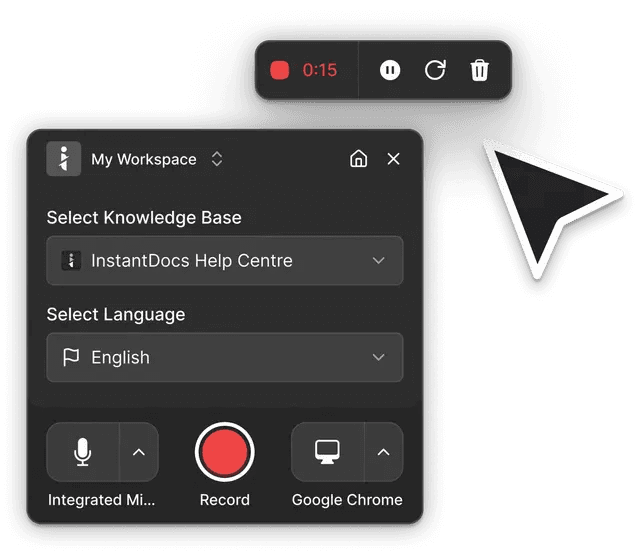
Select your Knowledge Base, language, and microphone. When you’re ready, click Record.
2. Go Through the Flow
Narrate clearly as you click through each step. It can be internal UI, a web flow, or a tool demo—whatever needs documenting.
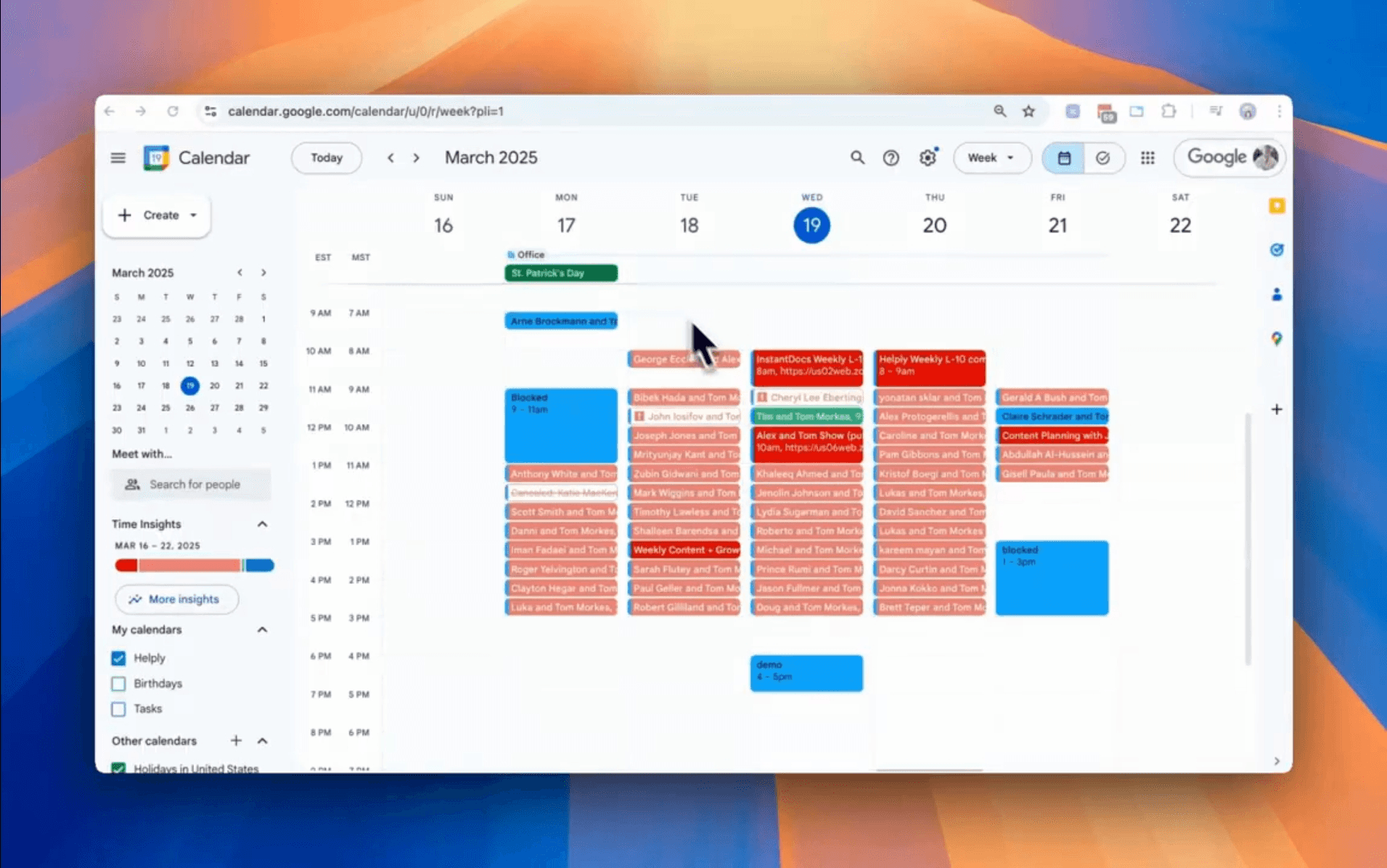
Pro Tip: No need for extensive notes or prep. Just show the feature or process as if you were walking a friend through it. If you make any mistakes they can be fixed in the editor when you finish your recording.
3. Stop Recording
Hit “Finish” when you’ve completed the task. InstantDocs captures the video and all screen activity.
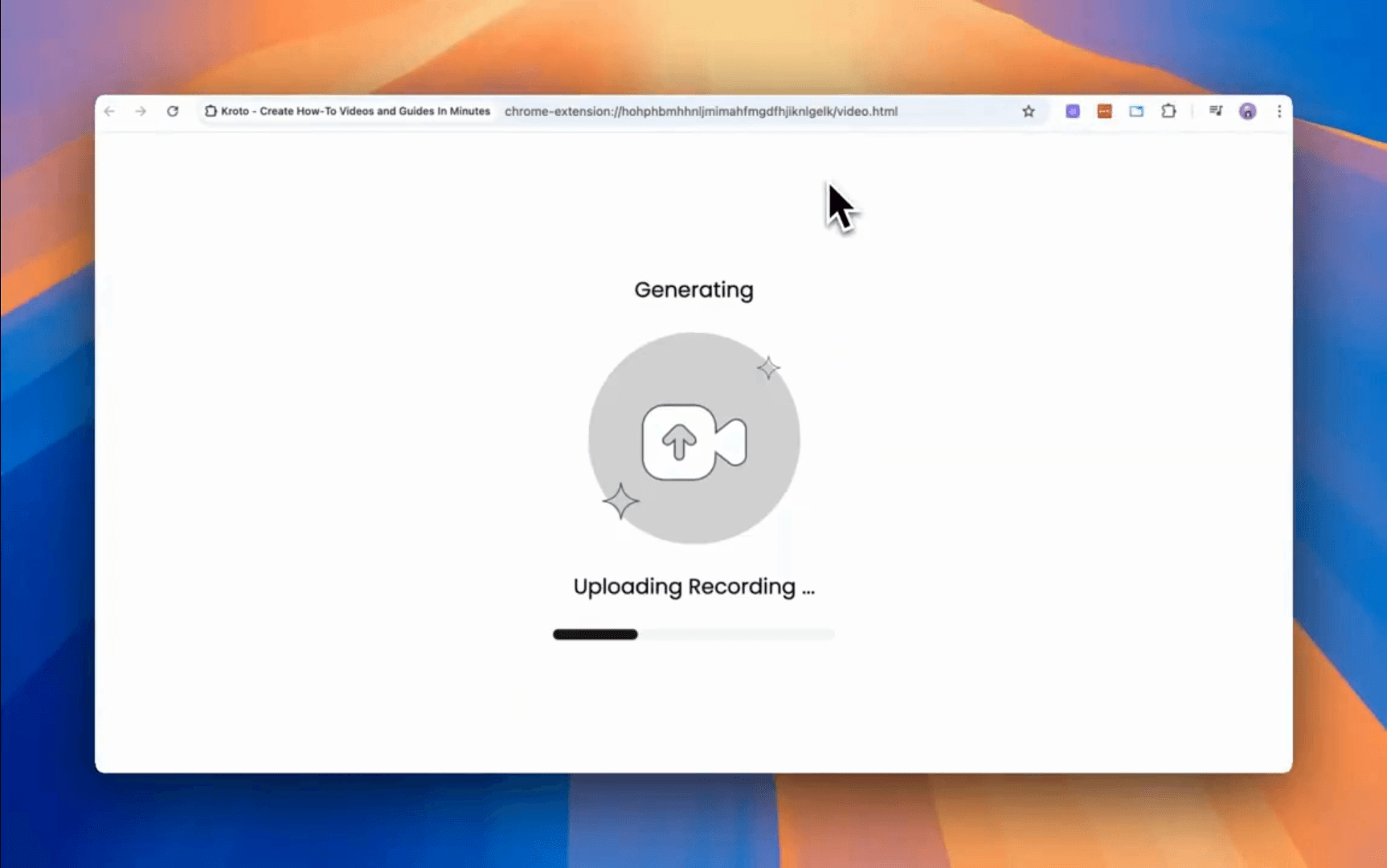
4. Let AI Work Its Magic
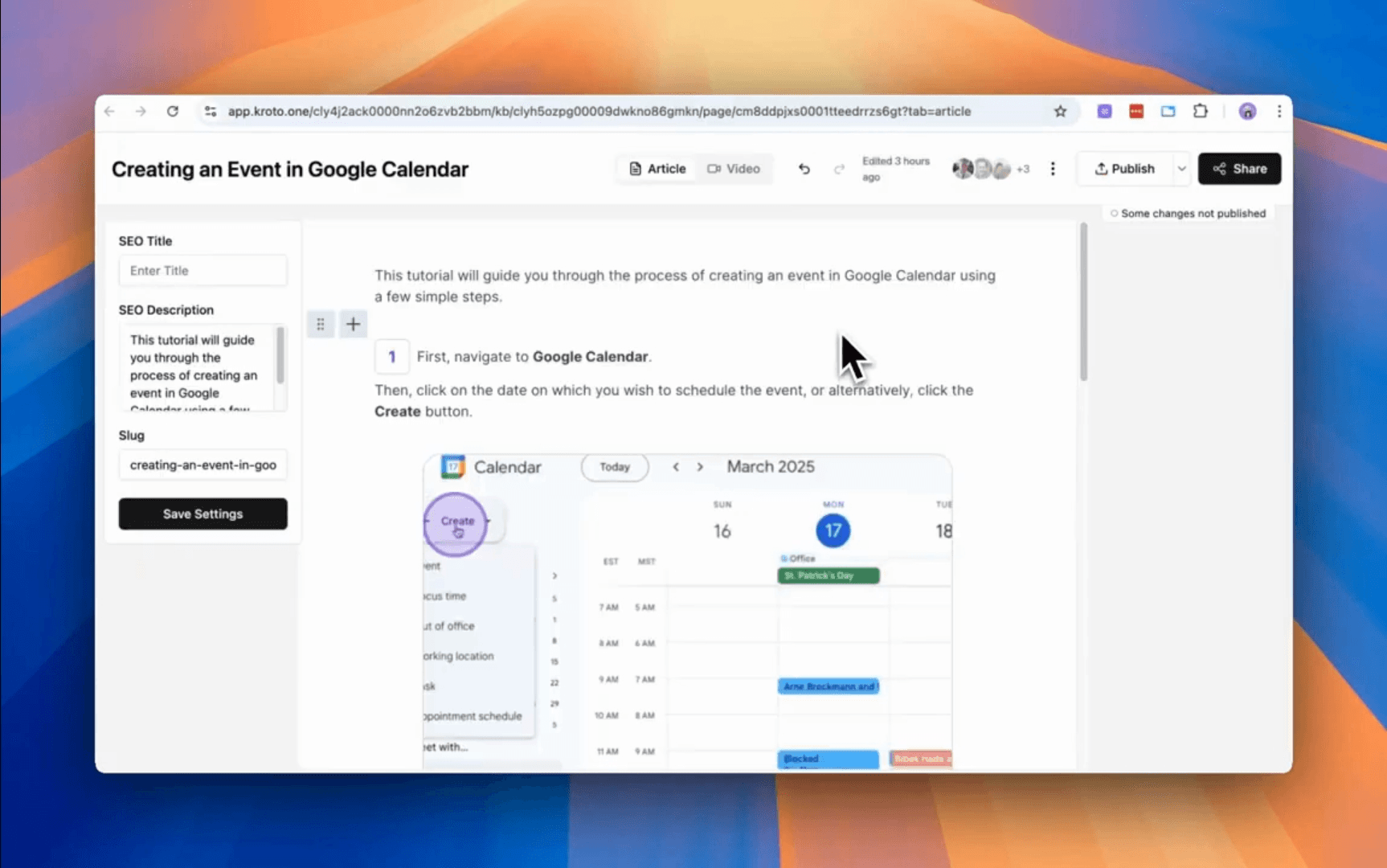
The platform auto-generates timestamps, step-by-step instructions, images, and even header titles.
5. Tweak & Brand
In the editor, adjust titles, add context, or reorder steps. Apply your logo, colors, and formatting in one click.
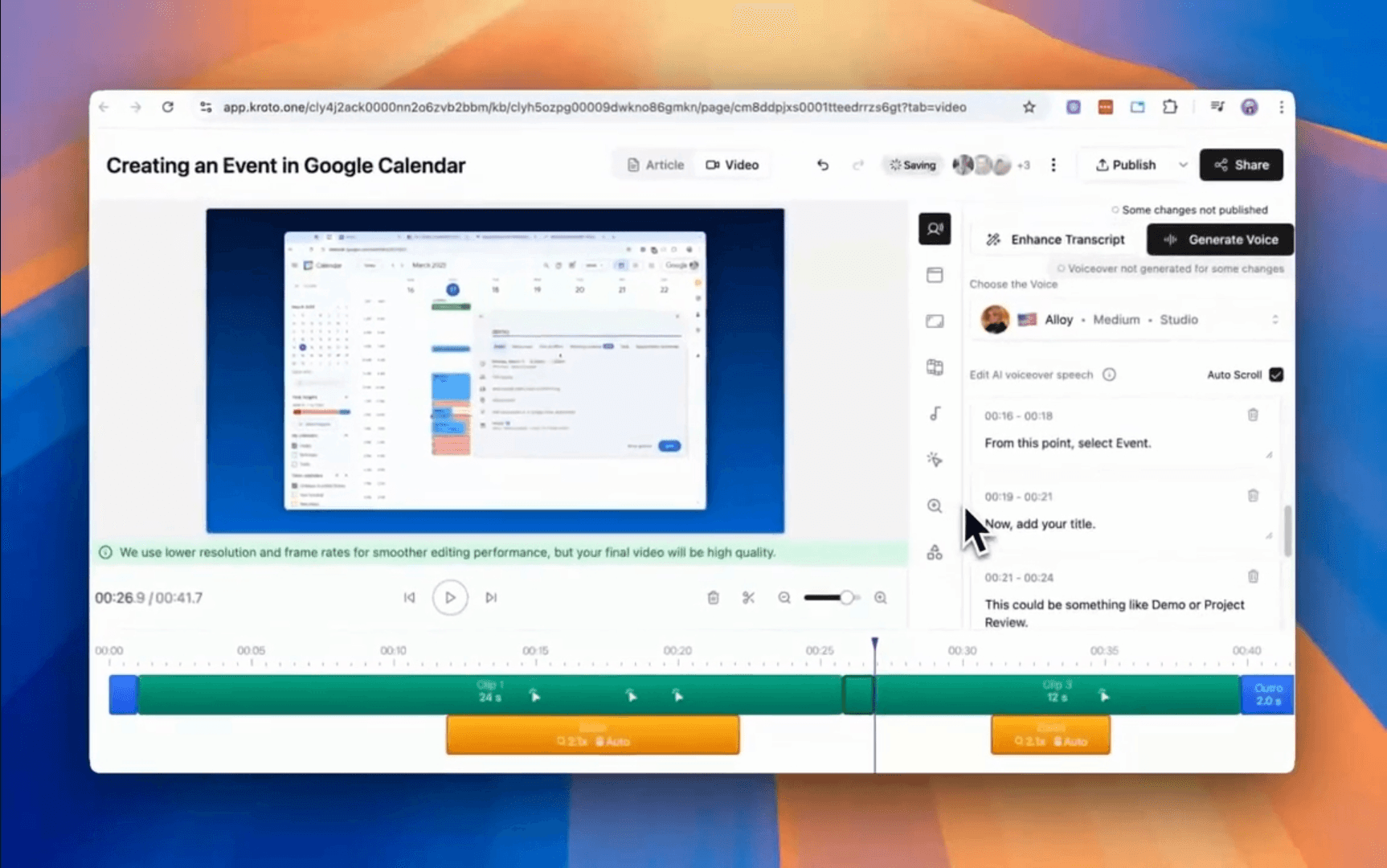
Pro Tip: setup your recording “Presets” so every article and video you produce has a consistent output (AI voice, colors, custom intro and outro formatting, and more)
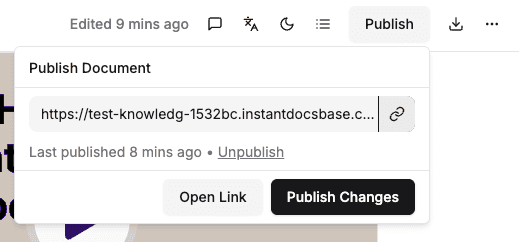
6. Publish and Share Instantly
One-click publish sends it to your InstantDocs knowledge base or generates an embed link—no copy-pasting or dev needed.
Why this is 30× faster
- No tool switching: Recording, editing, and publishing all live in one platform.
- Auto-generated content: No manual transcription, screenshot effort, or formatting fixes.
- Zero dev handoff: Publish polished, branded docs without developer help.
- Streamlined workflow: From start to finish in under 10 minutes—vs. 3 hours manually.
By following this flow, you eliminate wasted time, reduce switching costs, and unlock a lean, scalable way to build customer-facing content.
The old documentation creation standard is dead. InstantDocs is the new way.
If you’re still stitching together multiple tools, there’s a faster, simpler way. Try InstantDocs free and start creating polished, branded help docs in minutes—not hours.


Instantly build support docs that delight.
Book a demo