Building a knowledge base shouldn’t feel like wrestling with your own tools. Yet, for many teams, that’s exactly what happens with Helpjuice.
Don’t get me wrong—it’s a solid product. Clean editor, analytics baked in, customization options. But over time, the cracks start to show: limited integrations, formatting headaches, and a price tag that creeps up fast.
That’s why more support leaders are looking for alternatives. Tools that are just as powerful, but more flexible, easier to manage, and friendlier on the budget.
In this guide, we’ll break down the top 5 Helpjuice alternatives in 2026—what they offer, what users love, what they don’t, and who each is best for. By the end, you’ll know exactly which platform fits your team’s support style.
Key Takeaways
- InstantDocs is the best overall alternative for Helpjuice, combining AI-powered guides, video tutorials, and a beautiful modern knowledge base in one platform.
- Document360 is ideal for SaaS teams needing structured docs, version control, and multilingual support, but comes with UI and pricing drawbacks.
- Zendesk Guide works best if you’re already using Zendesk, offering seamless ticket + KB integration with AI-powered search.
- KnowledgeOwl is great for smaller teams who want flexibility and responsive support, though its editor and collaboration tools are limited.
- ProProfs Knowledge Base suits small businesses wanting an all-in-one solution, but pricing and workflow approvals can frustrate larger teams.
Alternative #1: InstantDocs — The Best Helpjuice Alternative
If Helpjuice feels like yesterday’s knowledge base, InstantDocs is tomorrow’s.
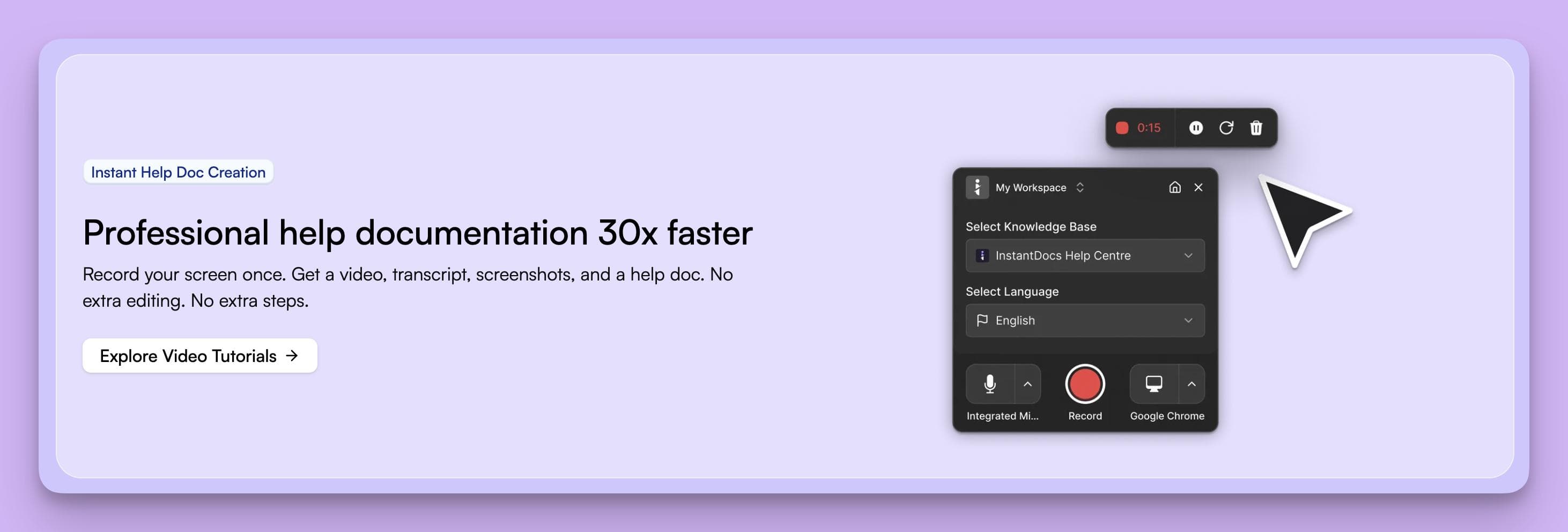
It’s not just another place to write technical articles — InstantDocs is an AI-powered engine that turns everyday support work into polished guides, tutorials, and a branded help center in minutes.
Why InstantDocs Stands Out Over Helpjuice
1. Create guides without the grind
- Helpjuice: Every doc starts with manual typing, formatting, and screenshots.
- InstantDocs: Record your screen or import a support ticket, and it auto-generates a clean, step-by-step guide with smart screenshots and formatting.
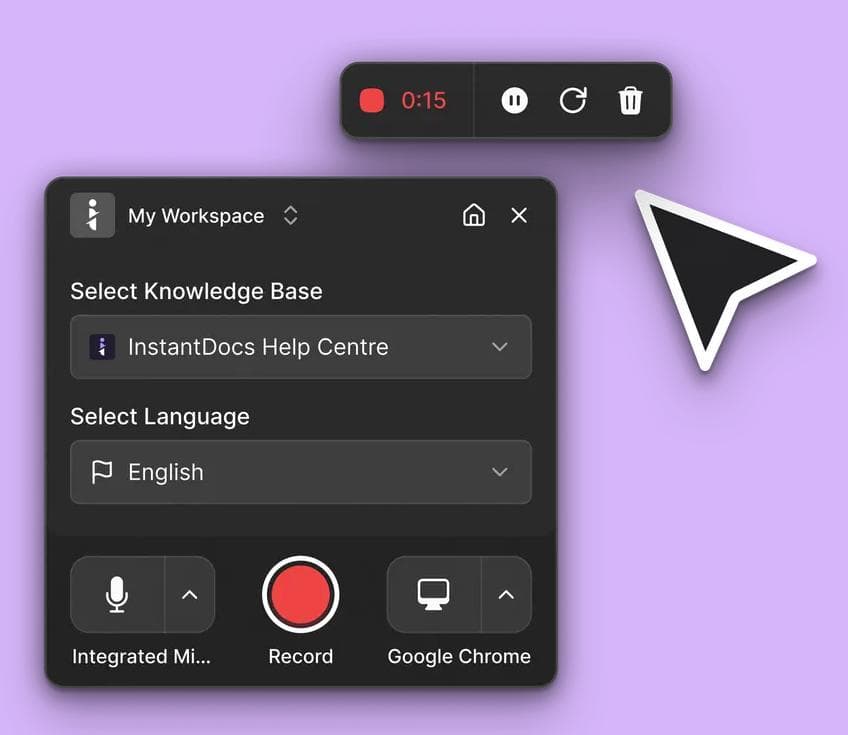
Result: You publish polished docs in minutes, not days.
2. Video without a video team
- Helpjuice: No native video features. You’ll need external tools and editing skills.
- InstantDocs: Record once, and AI handles zooms, pans, transitions, and even natural voiceovers. Update the narration by simply editing text, and the video refreshes automatically.
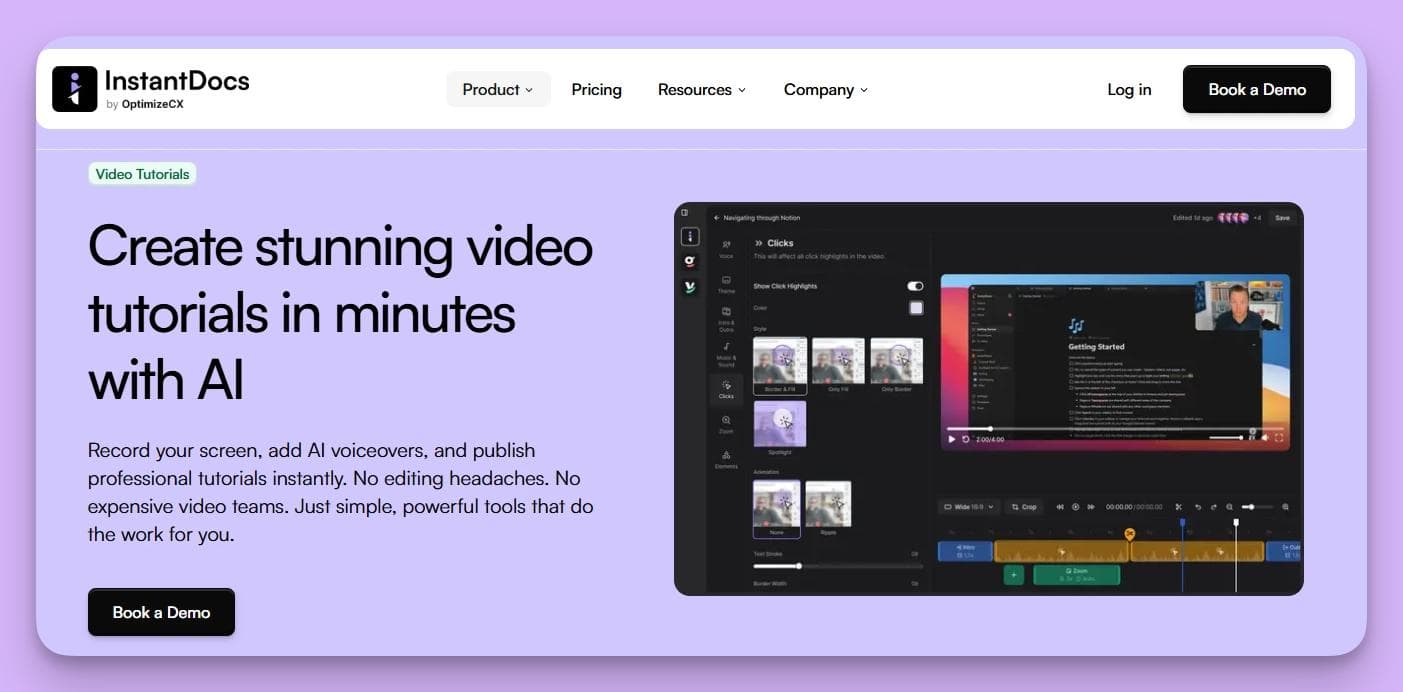
Result: Professional tutorials without production headaches.
3. A modern, branded knowledge base
- Helpjuice: Templates are serviceable, but customization feels limited and technical.
- InstantDocs: Launch a fully branded help center in minutes. Drag-and-drop design, light/dark mode, multilingual support, and SEO baked in.
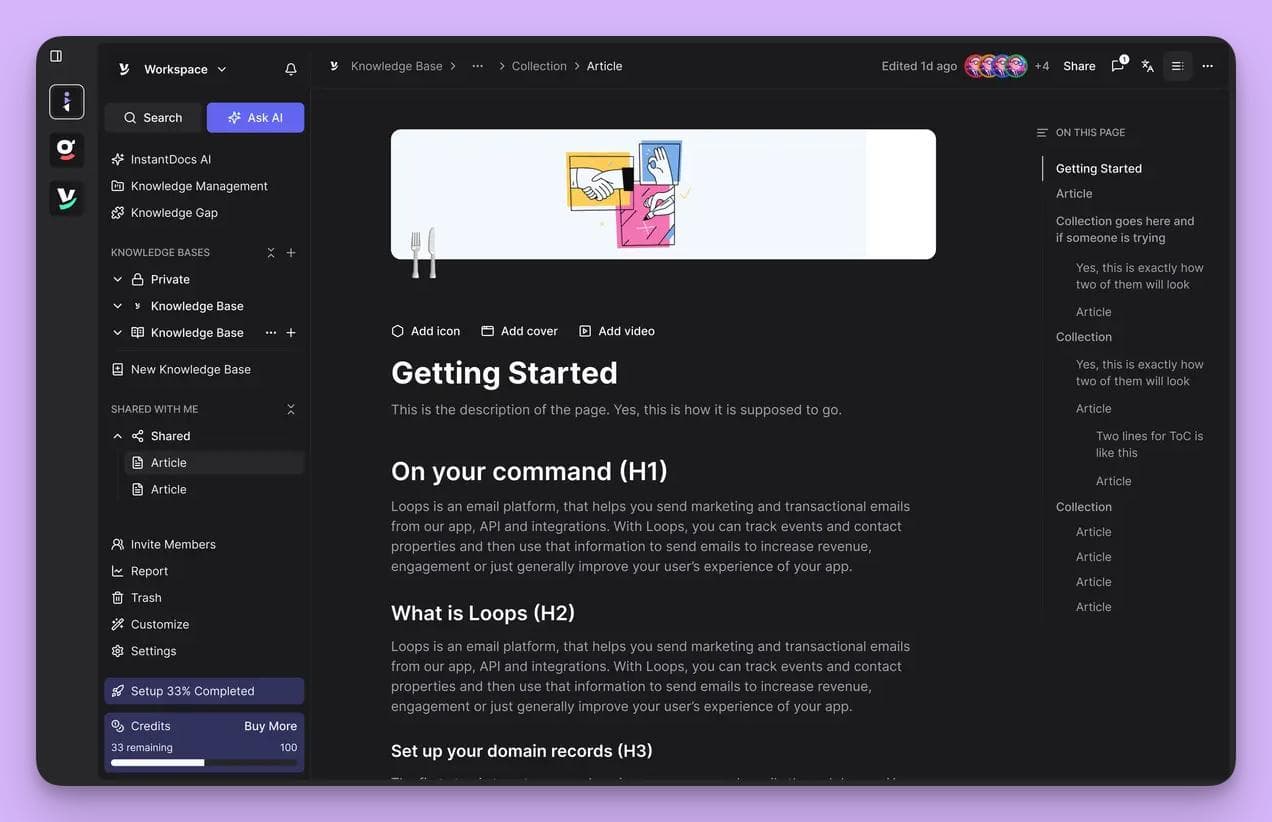
Result: A help center that feels like part of your product, not an afterthought.
4. Integrated where your team works
- Helpjuice: Mostly a standalone knowledge base.
- InstantDocs: Plug-and-play integrations with Zendesk, Groove, Freshdesk, Intercom, HelpScout, and more. Publish guides directly inside your support tools.
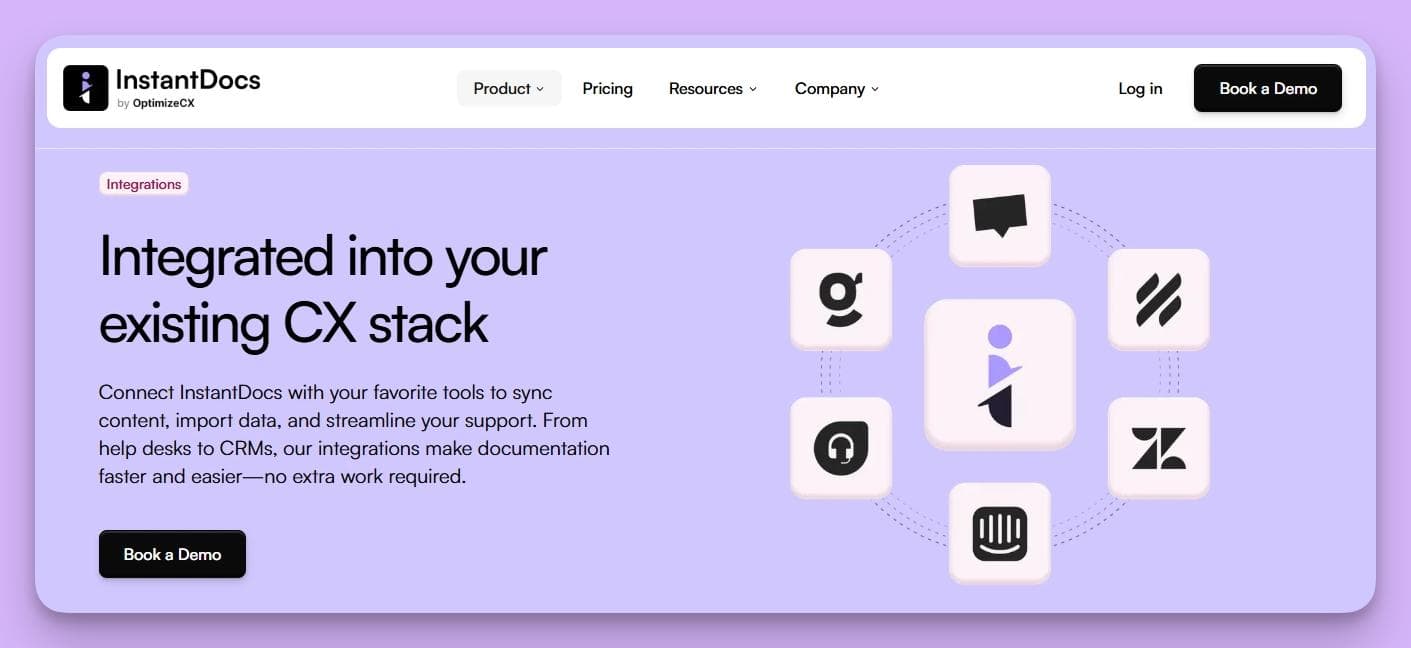
Result: No silos — your knowledge flows where your team and customers already are.
5. Built for scale
- Helpjuice: Great for small KB setups, but scaling means more manual upkeep, higher costs, and messy formatting.
- InstantDocs: AI-powered search, multilingual publishing, instant updates, and analytics that show exactly where customers get stuck.
Result: A knowledge base that grows cleanly with your business, not against it.
6. Knowledge Gap
- Helpjuice: Relies on admins or managers to manually spot gaps in content.
- InstantDocs: Uses AI to analyze support tickets and customer conversations, then auto-creates or updates help docs based on recurring questions.
Pros
- Auto-generates guides from support tickets and screen recordings
- All-in-one platform: guides, videos, and KB in one place
- Custom branding, multilingual support, and SEO baked in
- Integrates with major help desks and CRMs
Cons
- Still newer than Helpjuice (smaller legacy adoption)
- Chrome Extension setup is essential to unlock full power
Best For
Support teams who want to eliminate documentation busywork and scale with a knowledge base that looks modern, works fast, and integrates everywhere.
Alternative #2: Document360
Document360 has built its name as a modern, feature-rich knowledge base tool for SaaS teams.
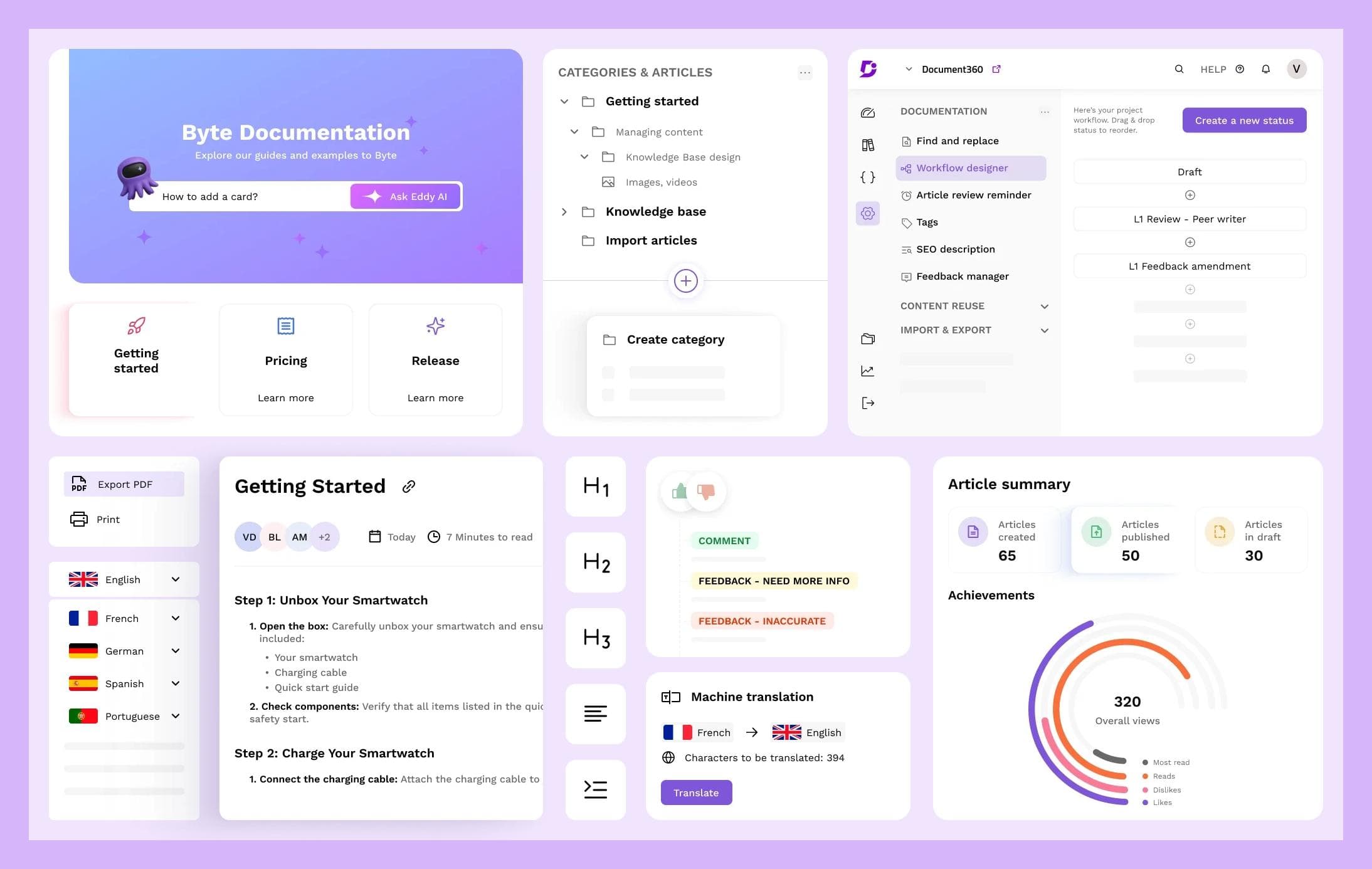
Unlike Helpjuice, Document360 is designed to help you organize large volumes of technical docs and keep them structured as your product grows.
Why Teams Pick Document360 Over Helpjuice
1. Cleaner content management
- Helpjuice: Good for basic knowledge bases, but gets messy with large projects.
- Document360: Nested categories, version control, and rollback options keep your docs tidy and easy to manage.
Result: Complex documentation stays organized without extra admin work.
2. AI-driven assistance
- Helpjuice: Limited AI features for content creation.
- Document360: Built-in AI assistant (“Eddy”) can help draft, polish, and structure your articles.
Result: Faster article production with fewer edits.
3. Multilingual support done right
- Helpjuice: Supports translations, but handling multiple languages can be clunky.
- Document360: Multi-language workflows are built in, with tools to manage and update translated content more easily.
Result: Your global customers get consistent experiences.
4. Collaboration and scalability
- Helpjuice: Best suited for smaller teams managing fewer docs.
- Document360: Granular permissions, advanced analytics, and enterprise-ready integrations scale smoothly as teams grow.
Result: A tool that feels comfortable for 5 users or 500.
Pros
- Clean and intuitive interface for managing complex docs
- AI content assistance speeds up writing
- Robust version control and rollback history
- Multilingual publishing that scales globally
Cons
- Occasional bugs and glitches that disrupt workflows
- UI limitations: basic editor, weak media handling, and a clunky search for big libraries
- Limited customization (can’t easily add custom code or hide specific UI elements)
- Integration gaps with other support tools
- Cancellation hurdles (Zoom calls required in some cases) and pricing that can feel steep
- Data quality issues like duplicates and errors across platforms
- Customer support inconsistencies with slow or unresolved tickets
Best For
Scaling SaaS and enterprise teams who need a structured, professional knowledge base with strong versioning, multilingual support, and AI assistance.
Alternative #3: Zendesk Guide
If your team already uses Zendesk, then Zendesk Guide is the obvious next step.
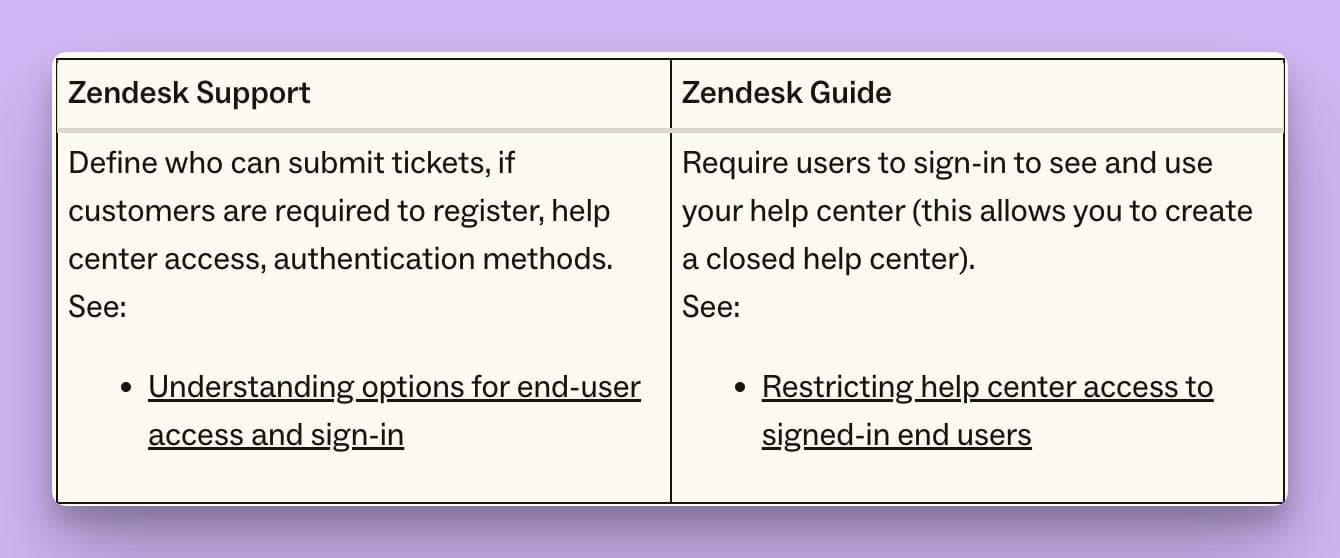
Unlike Helpjuice, Zendesk is baked right into the Zendesk ecosystem, so your docs, tickets, and agents all work together.
Why Teams Pick Zendesk Guide Over Helpjuice
1. Seamless ticket + knowledge base integration
- Helpjuice: Standalone KB. Your support agents jump back and forth between tools.
- Zendesk Guide: Articles surface directly inside Zendesk Support. Agents can link or insert help docs into replies without leaving their workspace.
Result: Faster ticket resolution and less context switching.
2. Smarter self-service with AI search
- Helpjuice: Search is functional but not intent-driven.
- Zendesk Guide: AI-powered search helps customers find the right answers, not just keyword matches.
Result: More customers solve issues without submitting a ticket.
3. Multi-brand and customization options
- Helpjuice: Customizable, but design flexibility is limited without dev support.
- Zendesk Guide: Launch separate branded help centers for each product or market. Style them to match your brand while managing everything from one backend.
Result: Scales with multiple products or international markets.
4. Built-in analytics and workflows
- Helpjuice: Analytics are solid but limited to the KB.
- Zendesk Guide: Ties into Zendesk Explore, giving you insights into both knowledge base usage and ticket deflection trends.
Result: You see the full picture of how docs impact your support workload.
Pros
- Deeply integrated with Zendesk’s ticketing system
- AI-powered search improves self-service success
- Multi-brand help centers under one roof
- Analytics and workflows connected to support metrics
- Mobile-responsive and well-suited for omnichannel support
Cons
- Can feel expensive, especially if you’re not already on Zendesk
- Steeper learning curve for admins and setup
- Customization may require dev resources for advanced tweaks
- Occasional reports of slower performance with large-scale use
Best For
Businesses already invested in the Zendesk ecosystem that want knowledge, tickets, and analytics all in one platform.
Alternative #4: KnowledgeOwl
KnowledgeOwl is a simple, customizable knowledge management tool and backed by responsive support.
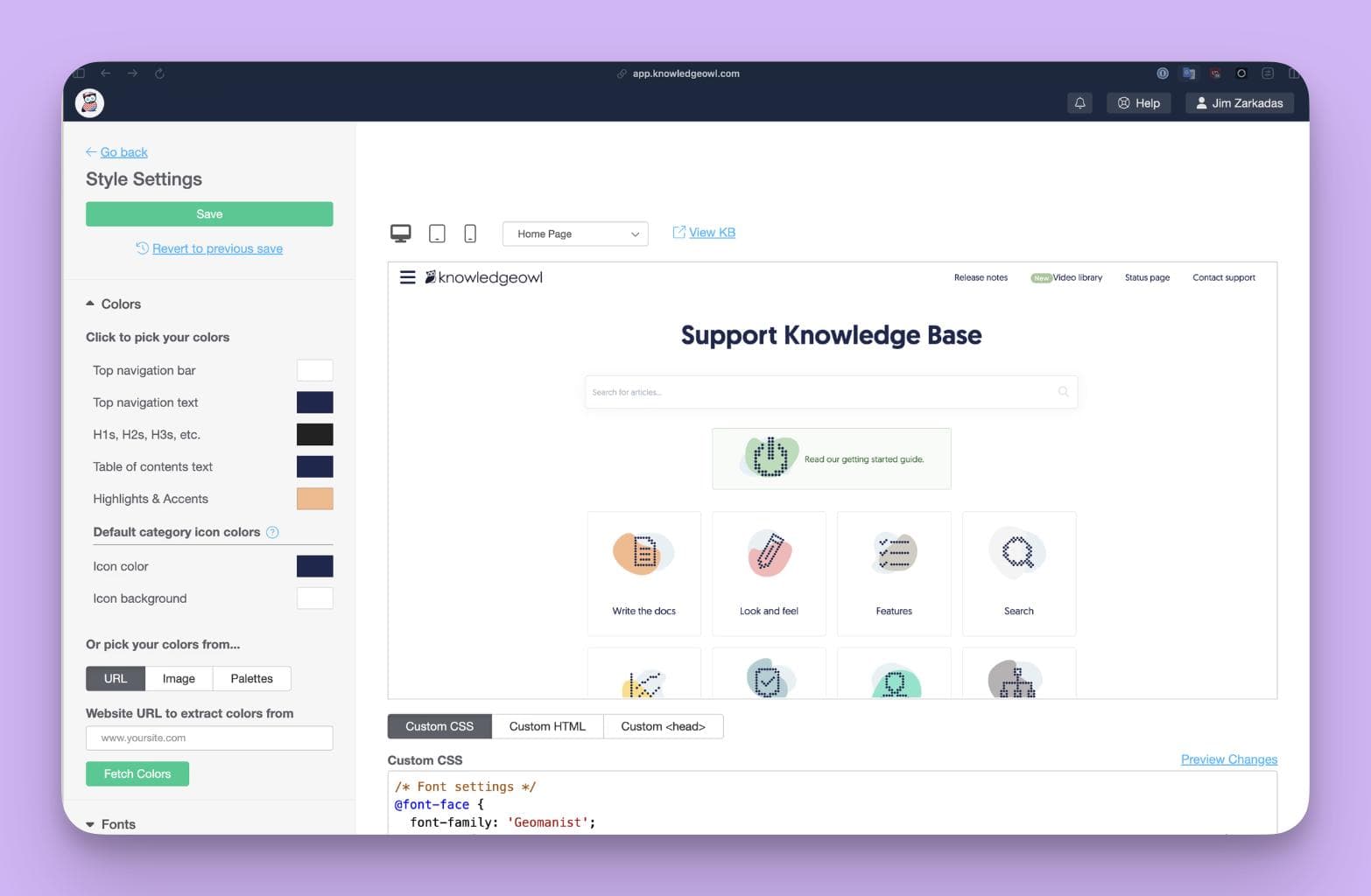
For small to mid-sized teams, it can feel like a breath of fresh air compared to more rigid platforms.
Why Teams Pick KnowledgeOwl Over Helpjuice
1. Easier article creation
- Helpjuice: Writing and formatting can feel clunky, especially with media.
- KnowledgeOwl: Clean, lightweight editor with drag-and-drop support for text, images, videos, and custom widgets.
Result: Faster doc creation without formatting headaches.
2. Strong access control
- Helpjuice: Good for general public KBs, but access settings aren’t as nuanced.
- KnowledgeOwl: Advanced role-based permissions let you control who sees what — ideal for internal, customer-only, or public docs.
Result: Better flexibility when handling multiple audiences.
3. Customization without developers
- Helpjuice: Customizing layouts or branding may require CSS tweaks.
- KnowledgeOwl: Built-in customization tools make it easy to match your branding and rearrange layouts without needing dev resources.
Result: Your help center looks the way you want, fast.
Pros
- Lightweight and user-friendly editing experience
- Great access controls for public, private, and internal KBs
- Highly customizable without heavy technical setup
- Responsive and friendly customer support
Cons
- Editing pain points: fonts are hard to identify, adding images is clunky, and copy-paste from external sources can break formatting
- No auto-save: platform logs out after inactivity, risking lost work
- Editor transition: some users dislike the new editor compared to the old one
- Collaboration limits: no conflict warnings when multiple editors work on the same doc; sometimes only one author can work on an article
- Search speed: functional, but results can feel slow to load
- Feature gaps: lacks robust reporting, advanced sharing, or section-level linking
- Customization learning curve: advanced tweaks require time and technical know-how
Best For
Teams that want a flexible, straightforward knowledge base that’s easy to customize and maintain — without paying enterprise-level pricing.
Alternative #5: ProProfs Knowledge Base
ProProfs Knowledge Base goes beyond a simple documentation tool.
It’s part of a broader customer support suite that also includes surveys, training, and quizzes.
Compared to Helpjuice, it positions itself as an “all-in-one self-service hub” that helps small businesses centralize customer support without juggling multiple platforms.
Why Teams Pick ProProfs Over Helpjuice
1. Faster setup for non-technical teams
- Helpjuice: Requires customization and CSS tweaks for a polished look.
- ProProfs: Comes with ready-to-use templates and a no-code editor. You can launch a branded help center quickly, even without technical resources.
Result: Publish a clean, usable KB without waiting on developers.
2. Unified customer support ecosystem
- Helpjuice: Focused only on knowledge base management.
- ProProfs: Includes training, quizzes, and survey tools alongside the KB.
Result: A single platform for learning, onboarding, and self-service support.
3. Accessible for smaller teams
- Helpjuice: Strong KB but requires more technical setup and upkeep.
- ProProfs: Simplifies collaboration with straightforward workflows designed for non-technical contributors.
Result: Smaller teams can stay productive without a steep learning curve.
Pros
- Quick launch with ready-to-use templates
- No-code editor for non-technical users
- Part of a larger suite (training, quizzes, surveys)
- Supports FAQs, manuals, onboarding, and contextual help (pop-ups, tooltips)
- Affordable starting point for small businesses
Cons
- Complex pricing: can feel expensive for startups; costs start at $30/author/month, with confusing add-ons and no flexible billing (e.g., semi-annual plans)
- Workflow approval limits: lacks robust approval chains for large-team collaboration
- Contextual help hurdles: tooltips and pop-ups require dev help to implement effectively
- Weak analytics/reporting: limited insights into engagement and performance
- Formatting & integration issues: editing/importing quirks and third-party integration challenges
- Navigation quirks: some features (like domain customization) are buried or poorly labeled
- Collaboration gaps: no real-time co-editing
- Mobile UX gaps: mobile experience less polished than desktop
- No offline access: limits usability for remote or low-connectivity teams
Best For
Small to mid-sized businesses looking for an easy-to-launch knowledge base that plugs into training and survey tools.
Get Started With InstantDocs; The Best Helpjuice Alternative
At the end of the day, choosing a knowledge base is about freeing your team from the grind.
Helpjuice helped set the standard, but today’s support leaders need more. They need automation, speed, integrations, and tools that actually fit the way teams work in 2026.
That’s exactly why InstantDocs stands out.
- While others still rely on manual article creation, InstantDocs auto-generates guides and tutorials from the work your team is already doing.
- While others stop at static help centers, InstantDocs gives you an all-in-one platform: guides, videos, and a fully branded KB in minutes.
- And while others silo your content, InstantDocs integrates everywhere — Zendesk, Groove, Freshdesk, Intercom, and more.
If you’re serious about scaling support, cutting down busywork, and giving your customers the polished self-service experience they expect, don’t settle for yesterday’s tools.
Choose InstantDocs — the #1 Helpjuice alternative built for modern support teams.
SaaS teams are already achieving real results with InstantDocs:
- Conzent ApS cut their documentation creation time by 90%.
- Busable saved over 93 hours by plugging InstantDocs directly into their development workflow.
- C2Keep launched a clean, branded knowledge base in days, not months.
Get your FREE demo here!


Instantly build support docs that delight.
Book a demo