Helpkit is great for what it does. It turns your team’s Notion pages into a clean and functional help center. For many startups, it’s the perfect first step into self-service support.
But if you’re here, it’s because you’re hitting a ceiling.
As you scale, that tight focus on Notion starts to reveal its limits. You’re likely running into issues like:
- Dealing with content syncing nightmares, as articles can become outdated the moment a critical Notion page is moved, renamed or removed.
- Lack of real AI automation, meaning you're missing out on smart tools that can create, suggest, or automatically update documentation for you.
- Facing scaling pains, with valid concerns that the platform won't keep up with enterprise-level traffic or a massive library of documents.
If you’re leading customer support or product at a fast-growing SaaS, you know how painful this can get. And it’s why many teams start looking for the best Helpkit alternatives; tools that go beyond Notion’s limits with faster syncing, deeper AI, and scalability.
In this guide, we’ve rounded up the top 6 best Helpkit alternatives in 2026, so you can keep scaling support without drowning your team in manual work.
Key Takeaways
- To eliminate manual documentation work: InstantDocs is the AI creation engine, automatically generating step-by-step guides from screen recordings to cut content creation time by 90%.
- To manage technical documentation like code: GitBook is the definitive developer's choice, using a docs-as-code philosophy with deep GitHub integration for engineering teams.
- For total brand control and deep analytics: Helpjuice is the power user's choice, offering full CSS control and granular data for teams that want to manually fine-tune every detail of their knowledge base.
- For enterprise-grade control and security: Document360 is the structured, traditional choice for large, regulated teams that demand rigorous compliance and security in managing their knowledge.
- To consolidate tools within the Zendesk ecosystem: Zendesk Guide is the native, all-in-one option for teams already committed to the platform, offering a unified agent experience.
- To build a central brain for your internal team: Slab is the ultimate internal wiki, unifying scattered knowledge for employees with a powerful cross-app search. However, it isn't for public-facing support.
Alternative #1. InstantDocs; The Best AI Documentation Tool
InstantDocs is an AI-native help documentation platform that automates creating step-by-step guides, video tutorials, and entire knowledge bases from your team's existing workflows.
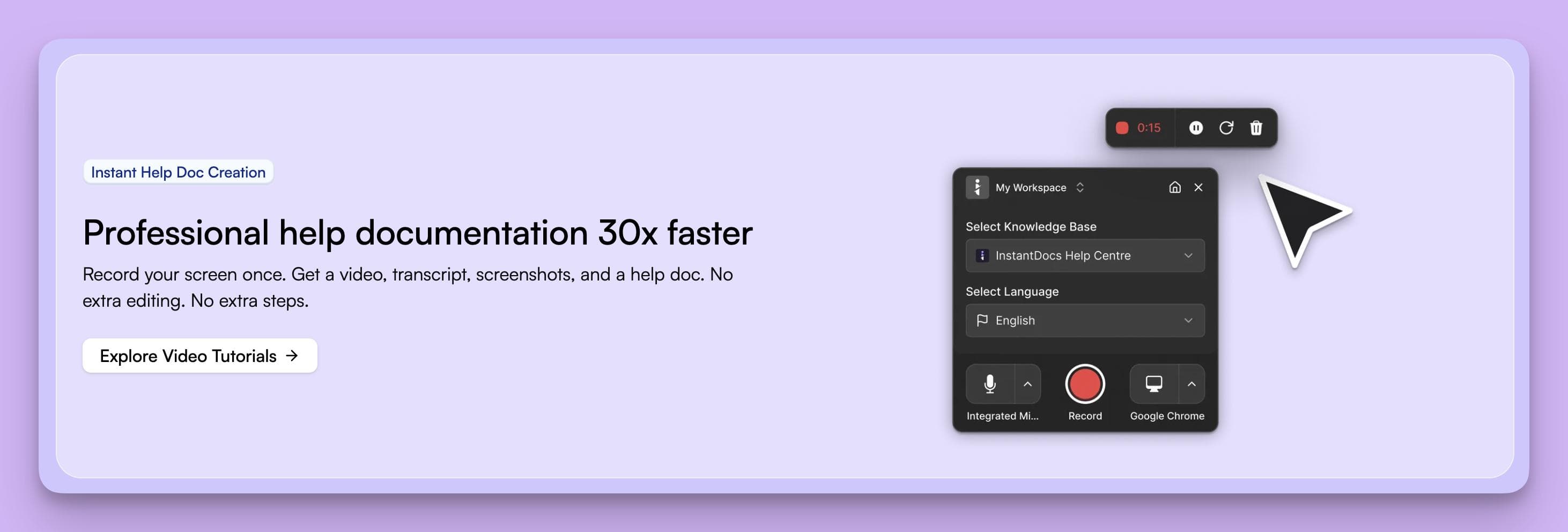
It’s designed to be a content creation engine that eliminates the manual work of documentation, thus allowing you to scale support operations with a fraction of the effort.
How InstantDocs' Features Outpace Helpkit
While Helpkit provides a solid path to publish documents you’ve already written, InstantDocs is built to create that documentation for you, often before you even realize you need it.
Here’s how InstantDocs' core features create that distinction:
1. AI Guide Generation from Recordings
With Helpkit, you have to manually write every step, take every screenshot, and format everything in Notion.
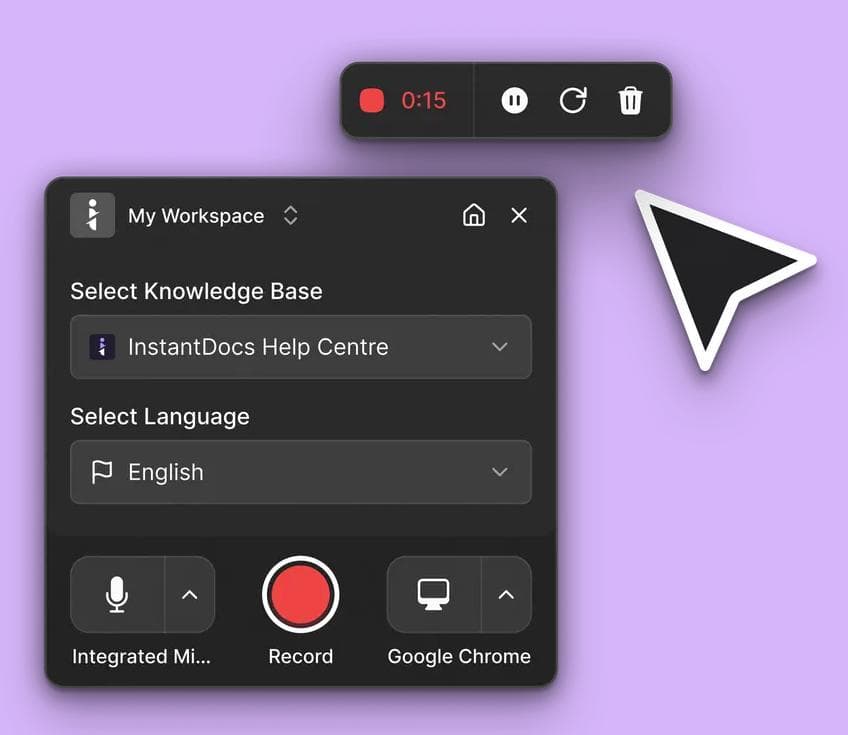
InstantDocs flips this entirely as you simply need to record your screen performing a task. Its AI automatically generates a perfect step-by-step guide, complete with smart-cropped screenshots, annotations, and formatted text.
2. Tickets-to-Docs Automation
A Helpkit knowledge base is only as smart as the content you remember to add. InstantDocs’ system is fundamentally different.
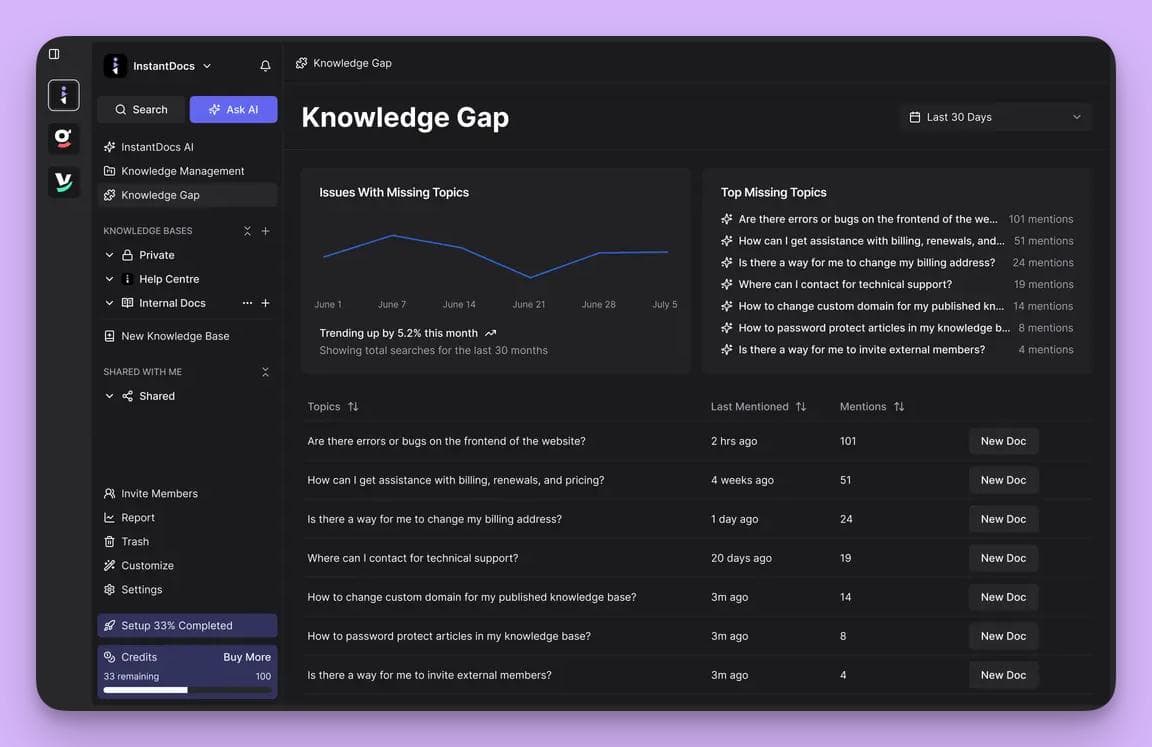
It proactively connects to your help desk, identifies recurring questions, and automatically suggests articles to solve them. InstantDocs helps with actively finding and filling knowledge gaps.
3. AI-Powered Video Tutorials
Creating video tutorials takes a lot of time and HelpKit doesn’t do much to help with that.
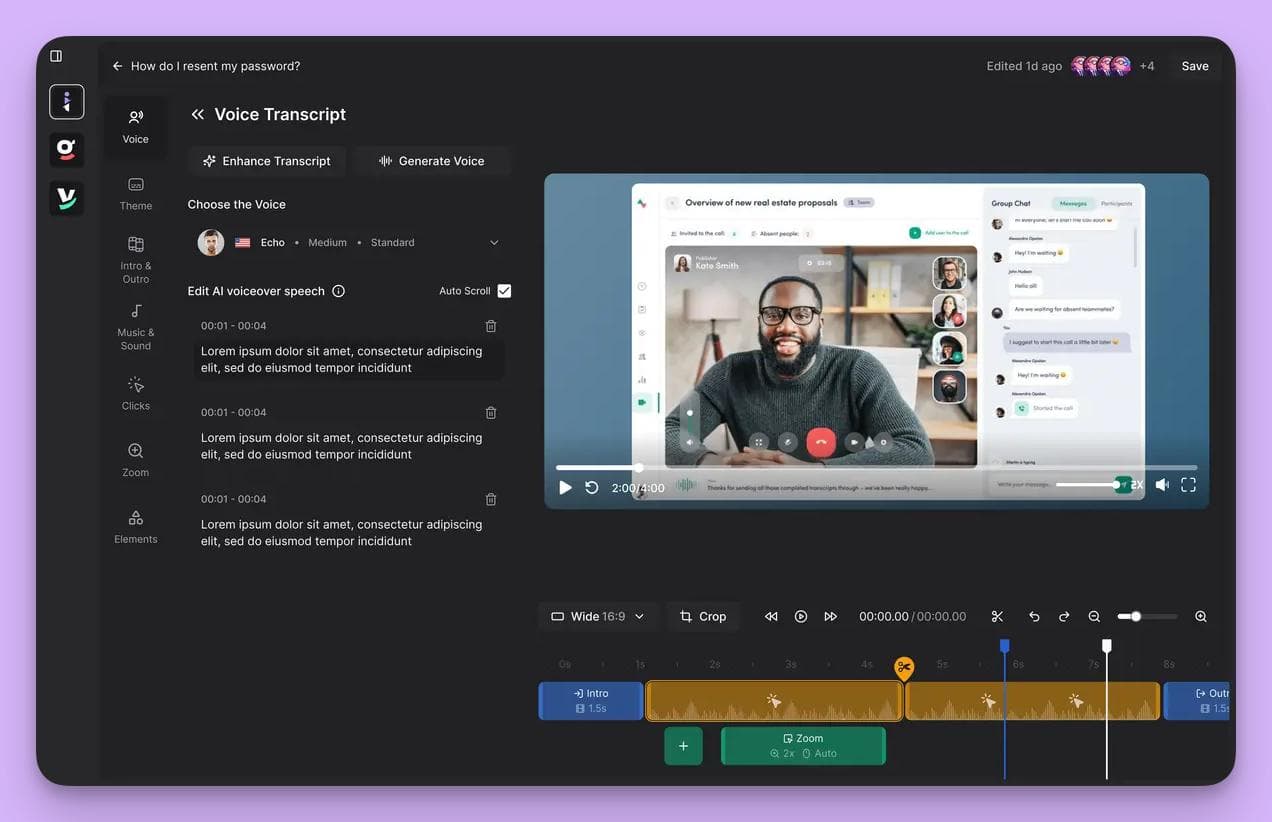
InstantDocs lets you record your screen once and turns it into a polished video with AI voiceover, captions, and highlights. It also provides built-in translations in 35+ languages.
This provides a level of multimedia support to your users that's not possible with a Notion-based workflow.
4. Free, Customizable Knowledge Base
With Helpkit, the knowledge base is the product you pay for.
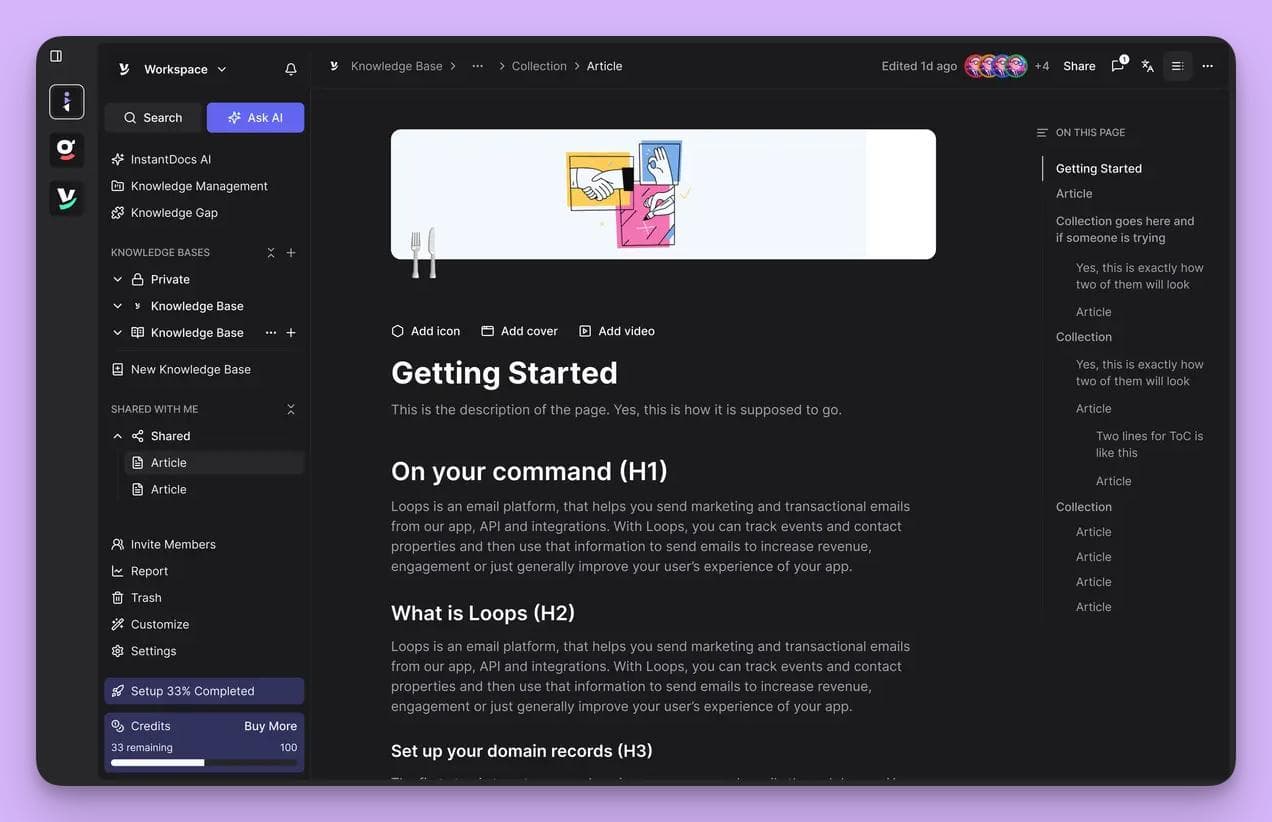
With InstantDocs, an SEO-optimized, and fully customizable knowledge base is included for free with its automation tools.
This shifts the value proposition entirely as you’re investing in a content engine, not just a publisher.
Pros and Cons in Comparison to Helpkit
Pros
InstantDocs is a content creation engine, whereas Helpkit is primarily a content publishing tool.
Its ability to automatically generate guides from recordings and tickets solves the "outdated content" problem at the source.
This makes it a vastly superior choice for scaling companies focused on operational efficiency and proactive support.
Cons
Since InstantDocs is designed to be an automated hub connected to your help desk and screen recordings, the setup involves more than just pointing to a Notion page.
You’re adopting a new, more powerful workflow for documentation.
This initial investment is what unlocks its significant time-saving capabilities.
Who It’s For
InstantDocs is for the scale-up customer experience or support lead who understands that manual documentation is a bottleneck to growth.
If you’ve experienced the pain of outdated articles and are ready for an AI partner that creates content for you, reduces ticket volume, and scales without burning out your team, then InstantDocs is the clear next step.
Book your free demo today and enjoy InstantDocs’ free, SEO-friendly knowledge base hosting.
Alternative #2. Document360
Document360 is an enterprise-grade, AI-powered knowledge base platform designed for teams who need structure, security, and scalability from the jump.
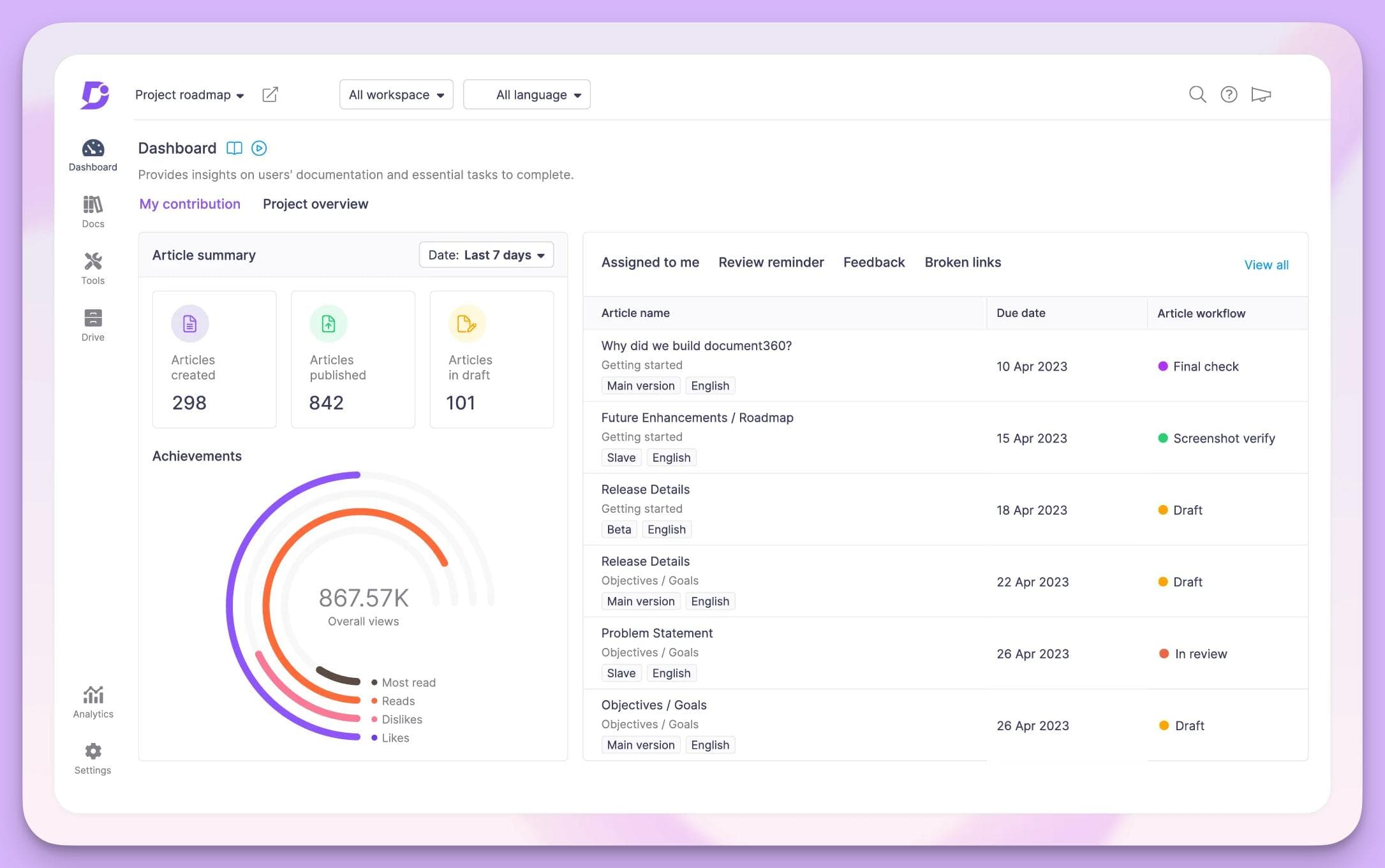
It’s a traditional, powerful tool for businesses that treat their documentation as a critical company asset, especially those in regulated industries where rigid controls are a must.
How Document360's Features Compare to Helpkit
Helpkit’s charm is its simplicity, but it lacks structure. Document360 offers the complete opposite: a highly controlled, fortress-like environment for your knowledge base.
But this strength comes with significant trade-offs in speed and automation.
Here’s a look at Document360's core features:
1.A Purpose-Built Architecture
Unlike Helpkit’s reliance on Notion’s flexible, and often messy, structure, Document360 is built from the ground up for documentation.
It offers robust version control and a centralized workflow, which can prevent content chaos.
The trade-off is a more rigid system that locks you into their platform and makes migration harder, though it now includes AI features to balance structure with adaptability.
2. AI-Powered Content Maintenance
Document360’s AI assistant, Eddy, is good at maintenance. It can review existing articles for broken links or outdated information.
This is a step up from Helpkit, but it’s still a reactive approach. It helps you manage content you’ve already written manually.
This falls short of true automation, where the system proactively creates content for you based on customer issues, like InstantDocs does.
3. Deep Analytics and Granular Security
Document360 offers a full, enterprise-level analytics suite and granular security controls.
These are powerful features, but they also introduce a significant layer of complexity and administrative overhead that can slow down fast-moving teams.
Pros and Cons in Comparison to Helpkit
Pros
Document360 is undeniably a powerful and structured platform.
For large enterprises in regulated fields, its robust architecture and security features offer a level of control that Helpkit cannot match.
It’s built to be a reliable, long-term repository for manually created content.
Cons
This power comes at a steep price in both cost and complexity.
The implementation is a heavy lift, requiring significant resources, training, and a painful content migration process.
More importantly, it doesn’t solve the core problem of manual work. You still have to write and update every single article yourself.
It's a bigger, stronger container for your docs, but it doesn't help you create them.
Who It’s For
Document360 is for the CX or product leader in a highly regulated enterprise who has the significant time, budget, and IT resources for a heavy, traditional implementation.
Alternative #3. Zendesk Guide
Zendesk Guide is the native knowledge base solution built directly into the massive Zendesk customer support suite.
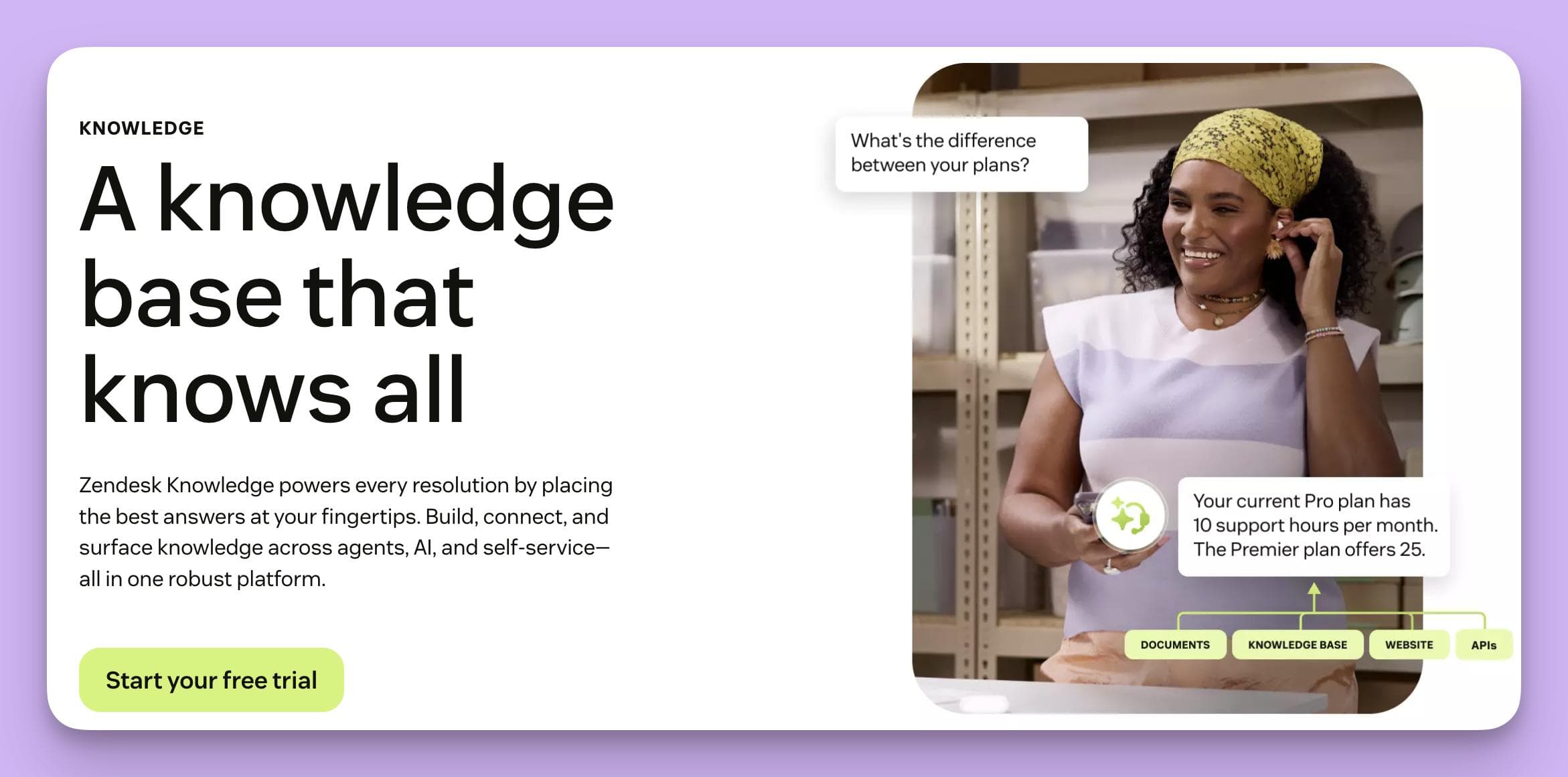
It’s designed as the all-in-one option for teams that are already deeply embedded in the Zendesk ecosystem and want to keep their ticketing, analytics and knowledge base under a single roof.
How Zendesk Guide's Features Outpace Helpkit
Zendesk Guide is the complete opposite of HelpKit. Instead of a lightweight standalone tool, it’s a fully integrated, and often rigid, piece of the Zendesk support suite.
Its biggest advantage is how tightly it connects with Zendesk’s ticketing system. But that strength also creates one of its biggest drawbacks.
Here’s how its core features stack up:
1. A Fully Integrated Ecosystem
The biggest step beyond HelpKit is that Guide lives inside Zendesk.
Articles are instantly available to agents and can be surfaced by bots inside the support widget. This unified flow is smoother than HelpKit’s standalone approach.
The tradeoff is flexibility. Migrating content out of Zendesk is possible but complex, hence making your knowledge base feel tied to their platform.
2. AI Content Generation from Tickets
While HelpKit relies on manually written content, Zendesk’s AI can draft basic articles by scanning support conversations.
This moves toward automation, but it’s still limited. The AI mostly generates simple Q&A snippets that need heavy editing before going live.
It doesn’t yet provide the kind of end-to-end automation, such as turning screen recordings or workflows into polished guides, that newer AI-first platforms now offer.
3. Advanced Self-Service Analytics
Zendesk includes native reporting on deflection rates, resolution times, and self-service usage. These insights go far deeper than HelpKit’s simple stats.
But you pay for the privilege. To unlock these analytics, you need the full Zendesk Suite, which can get expensive fast.
Pros and Cons in Comparison to Helpkit
Pros
For large teams already paying for and committed to the Zendesk Suite, Guide is a logical, integrated choice. It consolidates tools and provides a unified experience for support agents, with analytics that are far stronger than what Helpkit offers.
Cons
Vendor lock-in is a serious drawback for teams that value flexibility. If you’re not already a Zendesk customer, adopting Guide becomes a costly and complex choice.
Even for existing users, the AI feels underwhelming compared to dedicated platforms, the interface is notoriously clunky, and you sacrifice best-in-class automation for the convenience of staying within one system.
Who It’s For
Zendesk Guide works best for large teams already committed to the Zendesk Suite. It’s the natural choice if you value a single-vendor ecosystem over flexibility or cutting-edge automation.
Alternative #4. Helpjuice
Helpjuice is a powerful and highly customizable standalone knowledge base designed for high-growth B2B SaaS companies.
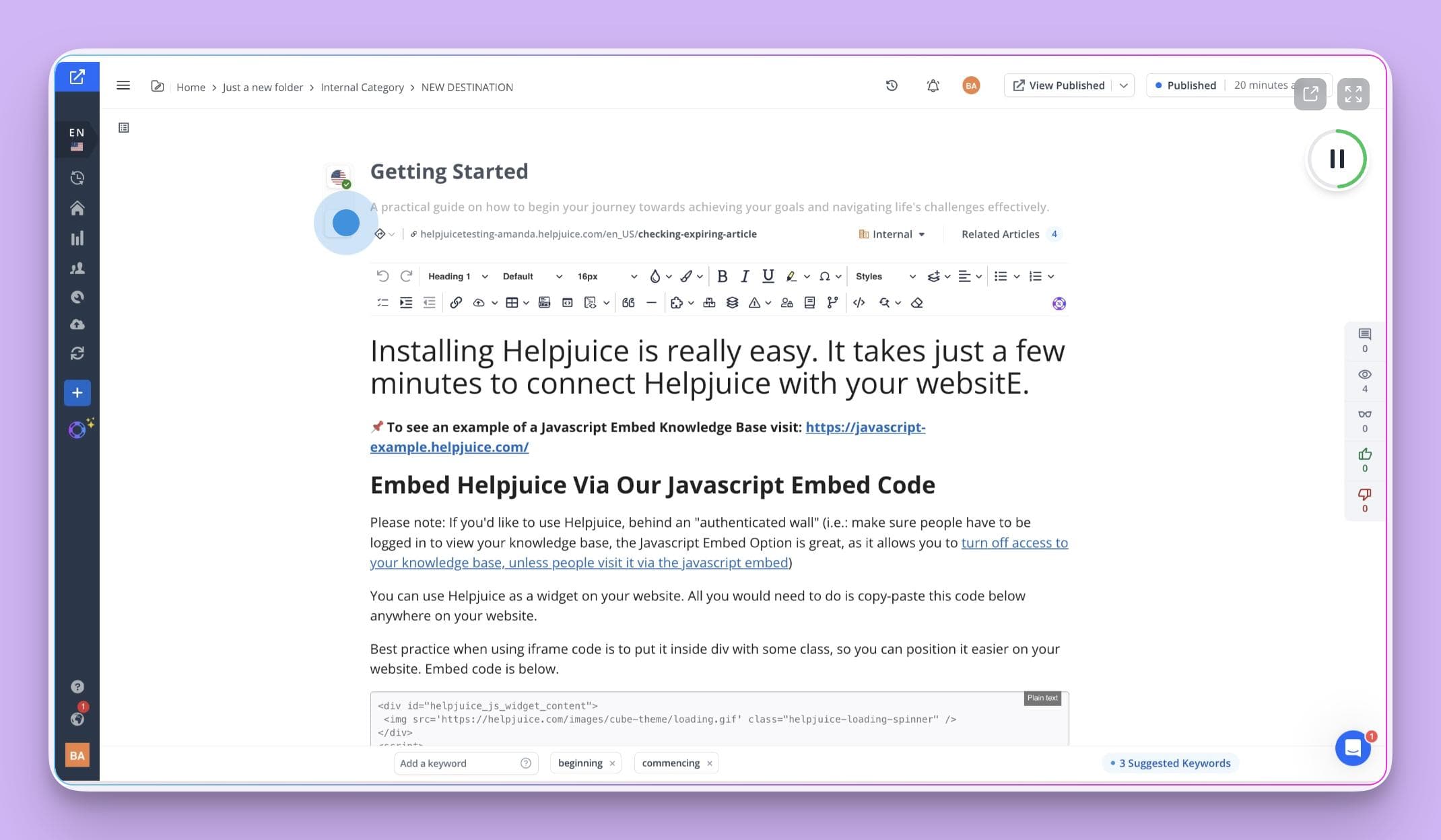
It’s positioned as the power user's choice, emphasizing deep analytics and total design control for teams that want to manually fine-tune every aspect of their self-service experience.
How Helpjuice's Features Outpace Helpkit
Helpkit is all about simplicity and speed by leveraging your existing Notion setup.
Helpjuice takes the opposite approach: it's a complex but powerful platform that demands significant effort to unlock its full potential.
It's a tool for dedicated authors and analysts, not just publishers.
Here are some Helpjuice features that standout:
1. Deep Customization and Theming
The biggest visual leap from Helpkit is Helpjuice's near-infinite customization. You get full control over the CSS to perfectly match your brand, which is a clear advantage for design-conscious teams.
However, this freedom is a double-edged sword, often requiring developer resources or significant design work to create a polished look, which could be distracting from the core task of creating helpful content.
2. Advanced Content Analytics
Helpjuice offers some of the most granular analytics in the industry, showing you exactly what users are searching for and which articles need improvement. This is a massive upgrade from Helpkit’s basic stats.
But these powerful analytics only serve as a high-definition report card on your manual efforts.
They tell you what content you need to write or fix, but they do nothing to help you actually create it, highlighting the very bottleneck of manual work.
3. Intelligent Search
Helpjuice’s search function is fast and accurate, helping users find the right answer quickly. This is a clear improvement over Helpkit's dependency on Notion’s search capabilities.
But the smartest search in the world can't find an answer that doesn't exist. The platform's success is still 100% dependent on your team’s ability to manually author a comprehensive library of articles.
Pros and Cons in Comparison to Helpkit
Pros
For teams obsessed with data and custom design, Helpjuice is a powerful engine.
Its best-in-class analytics and total brand control make it a strong contender for data-driven support teams who have the dedicated resources to build and manage a knowledge base from scratch.
Cons
Helpjuice is a classic example of a powerful tool that creates more work.
Its customization requires technical skill, its analytics highlight content gaps you have to fill manually, and its price point is among the highest in the market.
It requires a complete, often painful, migration from Notion and still doesn't solve the single biggest challenge: the time-consuming reality of manual content creation.
Who It’s For
Helpjuice is for the data-obsessed support ops leader who has a dedicated content team, a developer on standby, and a generous budget.
Alternative #5. GitBook
GitBook is an AI-optimized documentation platform built specifically for the workflows of technical B2B SaaS teams.
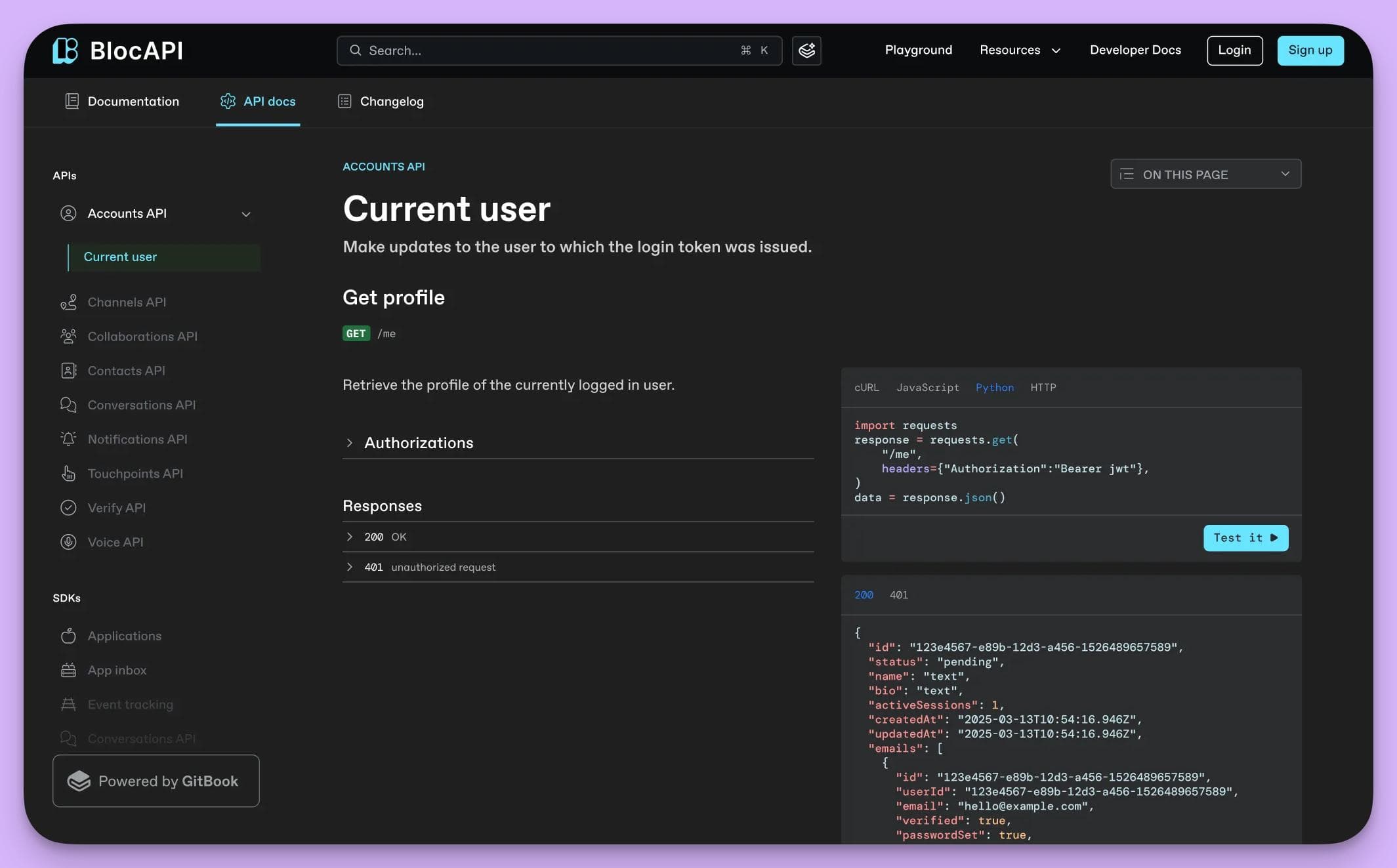
It’s designed for a "docs-as-code" philosophy, treating technical documentation with the same rigor as software development by integrating deeply with tools like GitHub.
How GitBook's Features Outpace Helpkit
Helpkit is built on the no-code and collaborative simplicity of Notion that makes it accessible to anyone.
GitBook sits on the opposite end of the spectrum: it’s a highly specialized platform for developers, bringing technical power at the cost of accessibility for the rest of the team.
Here’s how its core features create that distinction:
1.Native Git Integration
The defining feature of GitBook is its seamless sync with GitHub.
This is a game-changer for engineering teams as it allows them to manage documentation with the same version control, branching, and pull requests they use for code.
However, this workflow is completely alien and unnecessarily complex for customer support or success teams, creating a high technical barrier that silos documentation away from the front-line experts.
2. AI for Technical Docs
GitBook includes an AI assistant that provides contextual answers and helps generate technical documentation from specs.
This is more advanced than Helpkit’s basic features, but the AI is narrowly trained for developer-focused content like API references.
It struggles with the user-centric language of customer support guides and doesn't automate the creation of entire step-by-step tutorials from screen recordings, which is where the most significant time savings are found.
3. A Powerful, Structured Editor
GitBook offers a clean, Markdown-based editor that is far more structured than Notion’s for technical writing, with excellent support for code blocks and API schemas.
But for creating simple, user-friendly "how-to" articles, the editor feels rigid and less intuitive than the free-form, collaborative tools that support teams are used to.
Pros and Cons in Comparison to Helpkit
Pros
For technical documentation that is owned, written, and managed exclusively by an engineering team, GitBook is a vastly superior choice to Helpkit.
Its "docs-as-code" approach brings essential version control and rigor, making it a perfect fit for product-led companies whose primary documentation is for developers.
Cons
GitBook is fundamentally the wrong tool for customer support documentation. Its developer-centric workflow completely excludes non-technical team members, creating a massive bottleneck and siloing knowledge.
You're trading Helpkit's accessibility for a powerful but niche system that is ill-suited for the collaborative, fast-paced needs of a modern customer support team.
Who It’s For
GitBook is for the founder or engineering lead at a deeply technical, product-led SaaS company where documentation means API references and developer manuals.
The Best Helpkit Alternative is InstantDocs
What's the real bottleneck holding back your support team? It isn't the tool you use to publish articles. It’s the endless, manual cycle of writing, updating, and fixing them.
Most alternatives on this list simply give you a more powerful way to manage that same broken process.
But for scaling SaaS teams, the goal isn't to get better at running on the content treadmill—it's to get off it entirely.
And InstantDocs is built for that leap.
Stop Doing Double the Work. Turn one screen recording into a polished video tutorial, a step-by-step article, and annotated screenshots in minutes with InstantDocs.
SaaS teams are already achieving real results:
- Conzent ApS cut their documentation creation time by 90%.
- Busable saved over 93 hours by plugging InstantDocs directly into their development workflow.
- C2Keep launched a clean, branded knowledge base in days, not months.
Ready to see how you can cut your documentation time and launch features without the headache?
Get a FREE demo here!


Instantly build support docs that delight.
Book a demo